1
Connecting a 2. Keyboard
Connecting a 2nd Keyboard to theTA85P
Connecting a 2. Keyboard
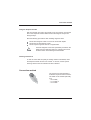
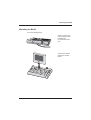
The TA85P has a connection for a second keyboard for example to plug in
an additional PC-keyboard for text input or for programming the TA85P.
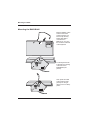
At the backside of the keyboard there is the connection for the second
keyboard, marked “second keyboard”.
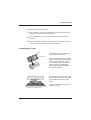
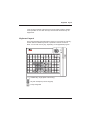
Connection 2nd keyboard
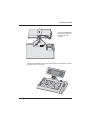
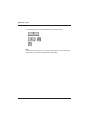
Plug the connector into the 2nd connection and secure the cable in that
position with the screw and the metal
cover (see picture).
In the case that the connected 2nd keyboard is a POS-keyboard (TA57, TA61 or Ta64) and that the TA85P uses a
magnetic swipe card reader or a central keylock a simultaneous use of these POS functions on the 2nd keyboard is
not allowed. With the TA85P you can only use the 2nd keyboard alternately (and not at the same time with the 1st keyboard!)
GB - 16