1
Biometric Readers with capacitive swipe sensor v2.1
a Visual Plus Corporation Company
Biometric Readers with capacitive swipe sensor
Ver2.1
Contents
1
Product concept ...................................................................................................................................... 4
2
Product Description............................................................................................................................... 5
2.1
2.2
2.3
2.4
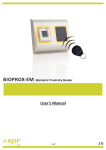
BIOXR-SW................................................................................................................................................ 5
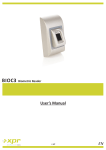
BIOC-SW .................................................................................................................................................. 6
BIOINPROX-SW ....................................................................................................................................... 7
BIOE......................................................................................................................................................... 8
3
Enrollment ................................................................................................................................................. 9
4
Authentication ......................................................................................................................................... 9
4.1
4.2
4.3
4.4
5
Mounting ................................................................................................................................................. 10
5.1
5.2
5.3
6
Biometric readers in network with EWS controllers ............................................................................ 12
RS 485 termination resistors ................................................................................................................ 12
Configuring the Biometric readers in PROS Software ........................................................... 13
7.1
7.2
7.3
7.4
7.5
7.6
7.7
7.8
7.9
7.10
7.11
7.12
7.13
7.14
7.15
8
BIOC-SW ................................................................................................................................................ 10
BIOXR-SW.............................................................................................................................................. 10
BIOIN PROX-SW .................................................................................................................................... 10
Connecting Biometric readers to EWS Controller .................................................................. 11
6.1
6.2
7
Authentication of a user by a fingerprint ............................................................................................... 9
Authentication of a user by PIN code (only BIOXR-SW) ......................................................................... 9
Authentication of a user by Fingerprint AND PIN code (only BIOXR-SW) .............................................. 9
Authentication of a user by Fingerprint AND Card (only BIOIN PROX)................................................... 9
Adding Biometric reader ....................................................................................................................... 13
Check Firmware version........................................................................................................................ 13
Firmware Update .................................................................................................................................. 14
Read reader settings ............................................................................................................................. 14
Upload configuration to a reader ......................................................................................................... 14
Sensor calibration ................................................................................................................................. 14
Selecting a finger for fingerprint enrollment ........................................................................................ 14
Enrolling Fingerprints from a reader .................................................................................................... 15
Enrolling Fingerprints from a Desktop Reader ..................................................................................... 15
Uploading the fingerprints to the Biometric readers ........................................................................... 16
Deleting Fingerprints ............................................................................................................................ 16
Deleting one user from the biometric reader ...................................................................................... 16
Deleting all users from the biometric reader ....................................................................................... 16
Deleting user finger templates from the Software............................................................................... 16
Complex upload .................................................................................................................................... 17
Connecting Biometric Readers to Third Party Controller .................................................... 18
8.1
Converters PIN description ................................................................................................................... 19
2