1
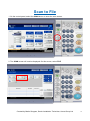
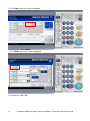
6. You will now be taken back to the E-MAIL screen:
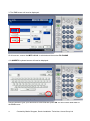
On this screen, select a file name and file format for your email as described on pages 4-5 of this
guide and then press OK.
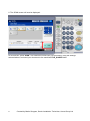
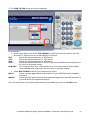
7. You will now be taken back to the SCAN screen:
On this screen, check that the transmission details (i.e. destination, file name and file format) are
correct and then press SCAN
The machine will now scan your document and send it to the designated recipient by e-mail.
10
Created by Martin Sturgess, Senior Installation Technician, Arena Group Ltd