1
Pic. 4-1-1
Pic. 4-1-2
Pic. 4-1-3
V. Removing used continuous ink supply system
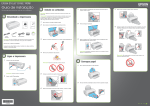
Replace air filters with air plugs (5-1-1).Move out cartridge holder and take the
rack off. Take the cartridges out (5-1-2) and place the cartridges on the tissue with the
ink flow nozzle downwards, and let the tissue at the same level with the system ink tank
(5-1-3).
Pic. 5-1-1
Pic. 5-1-2
Pic. 5-1-3
VI. Refill ink
During printing, if you found out that the ink level in the tank is below the red
line, please add ink according to the methods.
VII. Check air balance tube
During printing, if you find some abnormal cases, such as bad output, ink drip out
on paper, then you need to check the air balance tube to see if exist ink. If yes, please do
according to the manual of "ink pump out from balance tube”.
VIII. Warnings
1. During printing, please do not take cartridges over than the printer. Please keep
ink tank and printer in the same level.
2. During printing, do not inverse, lift up or lower ink tanks.
3. Please do not block up ink tanks for curiosity or for fear of less ink
4. Use CISS at clean environment and within the temperature range 15-35
degrees.
5. Please use high-quality ink to prolong and to increase printing quality.
6. During shipment or storage, please do not turn the system over and always have
the holes sealed with plugs, to prevent ink leakage.
7. Please do not shake cartridges to avoid leaking.
INSTALLATION MANUAL ON CISS FOR PRINTER
EPSON Office T40W/ 80W/ B40W/ Workforce 40
7