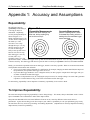
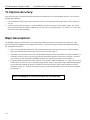
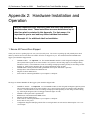
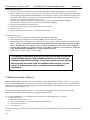
1
(C) Performance Trends Inc 2004
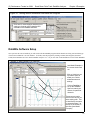
Road Race-Circle Track DataMite Analyzer
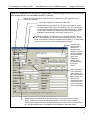
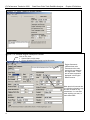
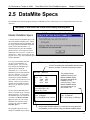
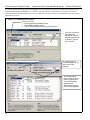
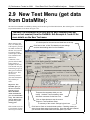
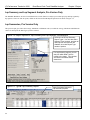
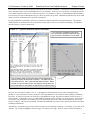
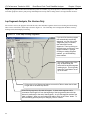
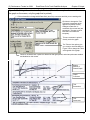
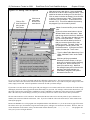
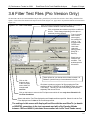
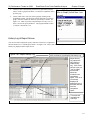
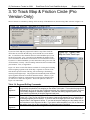
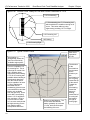
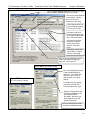
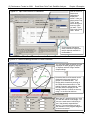
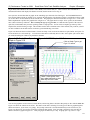
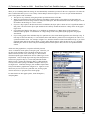
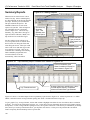
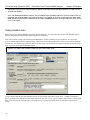
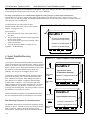
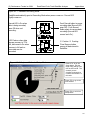
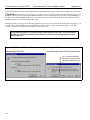
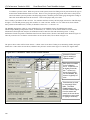
Figure 4.5 DataMite Specs Menu
Chapter 4 Examples
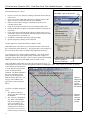
When finished changing these specs, click on File, then
Save as Master DataMite Specs to save these
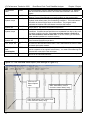
Click here to switch between
Yes and blank. Be sure
there is a Yes for all
channels you are using.
Set # Segments here to
give enough Recording
Time for your needs.
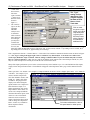
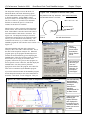
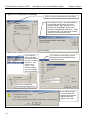
Click here to set the #
cylinders and engine type
for accurate Engine RPM
data. See menu below.
Click here to set the #
magnets and sensor
source for the other
sensors. See menu
below.
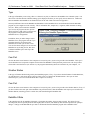
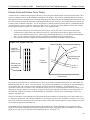
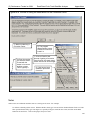
Calibrating Analog channels is shown in Figure
4.6 on the next page
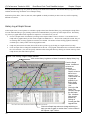
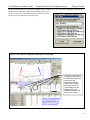
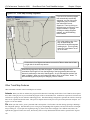
Click on Current Readings to show
what each channel is recording
right now. See Figure 4.7.
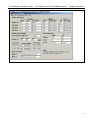
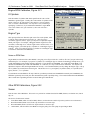
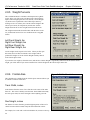
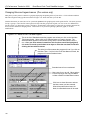
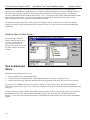
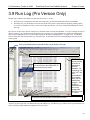
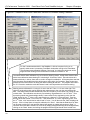
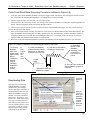
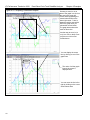
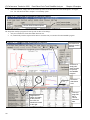
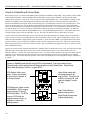
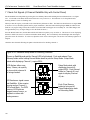
Specs Menu for Other RPMs
Engine RPM Specs Menu
For V-8, 8 cylinder, 4 stroke.
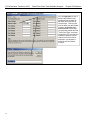
Pick Front Wheel for channel
2 and Driveshaft RPM for
channel 3. You would open
this menu twice, once for
each channel you want to
change.
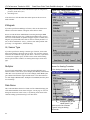
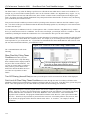
For Channel 4, pick Analog
Converter, and then Std
Thermocouple as the Type.
Specify 2 magnet since that
is what you installed on the
Front Wheel and the
Driveshaft. Be sure to get
these magnets as evenly
spaced as possible.
Click on Keep Specs to keep
and return to DataMite screen.
141