1
(C) Performance Trends Inc 2004
•
•
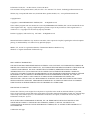
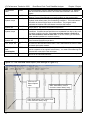
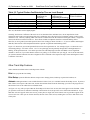
Road Race-Circle Track DataMite Analyzer
Analog Converter (for sensors like thermocouples for temperature,
pressures, shock travel, etc.)
Not Being Used
Chapter 2 Definitions
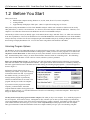
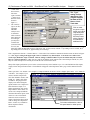
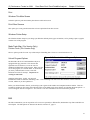
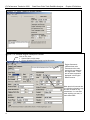
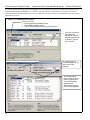
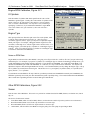
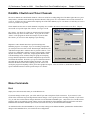
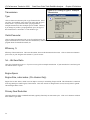
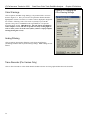
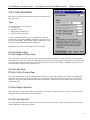
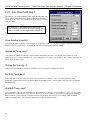
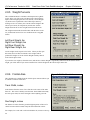
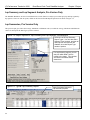
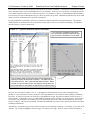
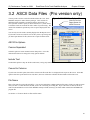
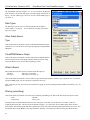
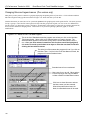
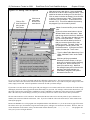
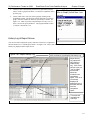
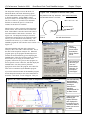
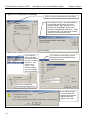
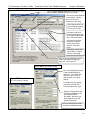
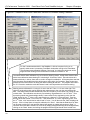
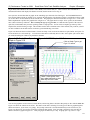
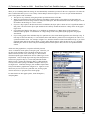
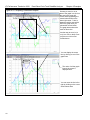
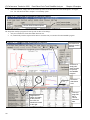
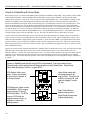
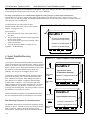
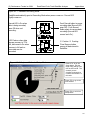
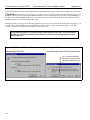
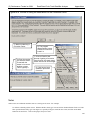
Figure 2.22 Sensor and Calibration
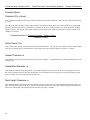
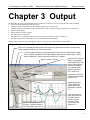
Screen: Other RPM Channels
Your choice here will determine what other inputs on this screen are
made available.
# Magnets
If you have specified an RPM type of Sensor, click on the down arrow
button to choose the number or magnets on the shaft or wheel.
Be sure to read the Notes on RPM Data concerning the Engine RPM
calibration on the previous page. Unlike Engine RPM, where you may
not be sure of the number of cylinder firings per engine revolution, the #
Magnets you pick should be the same as what are actually mounted. If
not, or the recorded data is “noisy”, you have some other problem with
your setup. See Appendix 3, Troubleshooting.
Or, Sensor Type
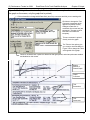
If you have specified an Analog Converter type of Sensor, click on the
down arrow button to choose the type of sensor. For most, the program
will know the calibration simply by your choice. However, if you choose
“Custom (user supplies specs)”, then the lower section called Analog
Sensor Specs becomes enabled. See Analog Sensor Specs on the next
page.
Multiplier
If you selected “Other RPM” as the Sensor, then the Multiplier spec
becomes enabled. This allows you to multiply this RPM by some number.
Often this is used by motorcycle racers who multiply clutch RPM by the
gear reduction between the engine and the clutch. This allows them to
see when Engine RPM matches “multiplied” clutch RPM, then they have
zero clutch slip.
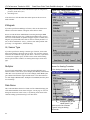
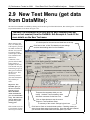
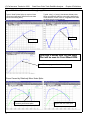
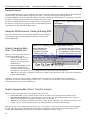
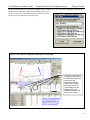
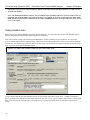
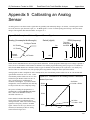
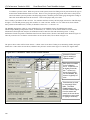
Screen for Analog Converter
Pick Analog Converter as Sensor
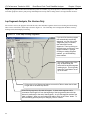
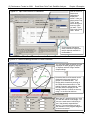
Data Name
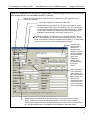
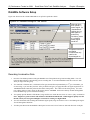
This is the Data Name shown in Column 4 of the Channel Settings grid
of the main DataMite screen shown in Figure 2.20 on page 38. You can
change the name here in this screen, or by clicking on the name in the
Channel Settings grid and entering a new name there.
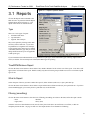
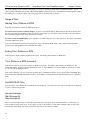
# Magnets spec is now
called Sensor Type.
Click here for list of Sensor
Types if using an Analog
Converter.
42