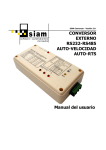
1
3 2 SiAM CRIO v3.0 PROGRAMMABLE REMOTE INPUT/OUTPUT CONTROLLER User Manual Version 3.0 SiAM CRIO v3.0 User Manual CONTENTS 1.- CHARACTERISTICS......................................................................................... 4 2.- INTRODUCTION ............................................................................................. 5 3.- INSTALLATION ............................................................................................... 8 4.- WIRING.......................................................................................................... 9 4.1.- Main power supply ................................................................................................................9 4.2.- Communication ...................................................................................................................10 4.2.1.- RS-485 module..............................................................................................................10 4.2.2.- RS-232 module..............................................................................................................11 4.3.- Digital outputs.....................................................................................................................12 4.4.- Digital inputs .......................................................................................................................14 4.5.- Analog inputs.......................................................................................................................15 4.6.- Wiring example ...................................................................................................................18 5.- BOARD SETTINGS......................................................................................... 19 5.1.- Bus address .........................................................................................................................19 5.2.- Baud rate .............................................................................................................................20 5.3.- User-defined switch ............................................................................................................20 5.4.- Communication resistors ....................................................................................................21 5.5.- Reset switch ........................................................................................................................21 6.- SOFTWARE ................................................................................................... 22 6.1.- Online mode ........................................................................................................................23 6.2.- Inputs and outputs..............................................................................................................24 6.3.- RAM memory (M) ................................................................................................................25 6.4.- EEPROM memory (V)...........................................................................................................25 6.5.- System memory...................................................................................................................25 6.6.- Virtual registers...................................................................................................................26 6.7.- Status...................................................................................................................................27 6.8.- Configuration.......................................................................................................................27 6.8.1.- Communication and program .......................................................................................28 6.8.2.- Persistent virtual registers ...........................................................................................29 6.8.3.- Analog inputs scaling....................................................................................................31 6.9.- Program ...............................................................................................................................32 6.10.- Other device options .........................................................................................................35 7.- IEC PROGRAMMING ..................................................................................... 36 7.1.- The instruction list (IL) languange.....................................................................................36 7.2.- Data types............................................................................................................................37 7.3.- Instructions .........................................................................................................................37 7.4.- Memory areas ......................................................................................................................43 7.4.1.- Inputs memory .............................................................................................................44 7.4.2.- Outputs memory ...........................................................................................................44 7.4.3.- RAM memory.................................................................................................................44 7.4.4.- EEPROM memory ..........................................................................................................44 7.4.5.- System memory ............................................................................................................45 7.5.- Program errors and warnings .............................................................................................51 7.6.- Programming examples ......................................................................................................53 7.6.1.- Simple automatic door..................................................................................................53 Page 2 SiAM CRIO v3.0 User Manual 7.6.2.- Automatic door with local and remote control ............................................................54 7.6.3.- Timers............................................................................................................................55 7.6.4.- Intermitencies...............................................................................................................56 7.6.5.- EEPROM checksum management .................................................................................58 7.6.6.- Use of indirect addressing registers.............................................................................60 8.- MODBUS COMMUNICATION......................................................................... 61 8.1.- Modbus protocol..................................................................................................................61 8.2.- Modbus mapping .................................................................................................................62 8.2.1.- Indirect addressing registers .......................................................................................63 8.2.2.- Configuration registers.................................................................................................63 8.3.- Modbus functions ................................................................................................................64 8.3.1.- Read Holding Registers (0x03) ....................................................................................64 8.3.2.- Read Input Registers (0x04)........................................................................................64 8.3.3.- Write Single Register (0x06)........................................................................................65 8.3.4.- Write Multple Registers (0x10) ....................................................................................65 8.3.5.- Mask Write Register (0x16) .........................................................................................66 8.3.6.- Read/Write Multiple Registers (0x17).........................................................................67 9.- FREQUENTLY ASKED QUESTIONS ................................................................ 68 9.1.- Communication with the board can not be established ....................................................68 9.2.- Digital outputs are all inactive............................................................................................68 9.3.- The IEC code is not executing correctly .............................................................................69 10.- ELECTRICAL CHARACTERISTICS ................................................................ 70 11.- COPYRIGHT................................................................................................ 71 Page 3 SiAM CRIO v3.0 User Manual 1.- CHARACTERISTICS 1. Programmable controller with integrated inputs/outputs: o Programmable in instruction list (IL) language, according to IEC 1131-3 standard. o 8192 program bytes (1300-8000 IEC instructions). o 512 user words (256 retentive, 256 non-retentive). o Supports the following IEC data types: BOOL, BYTE, SINT, WORD, INT, DWORD, DINT, REAL. 2. Inputs/ouputs: o 16 optoisolated 12/24VDC digital inputs. o 12 optoisolated 12/24VDC digital outputs. o Up to eight 0-5V or 0-20mA analog inputs (10-bit resolution). o Indepentent supply for digital outputs. 3. Communications: o RS-485 (up to 64 devices in the bus) or RS-232 serial communication. o Operation at 8 different speeds: 4800 bps, 9600 bps, 19200 bps, 28800 bps, 38400 bps, 57600 bps, 115200 bps, 128000 bps. o Bus termination resistor to avoid reflections, and pull-up and pull-down resistors to stabilize bus (jumper selectable). o LED indication for state of reception and transmisssion. o Modbus RTU slave protocol. The following commands are supported: 03 (0x03) Read Holding Registers 04 (0x04) Read Input Registers 06 (0x06) Write Single Register 16 (0x10) Write Multiple Registers 17 (0x11) Report Slave ID 22 (0x16) Mask Write Register 23 (0x17) Read/Write Multiple Registers 43/14 (0x2B/0x0D) Read Device Identification o Indirect addressing modbus registers for optimizing communication cycles. 4. External power supply 9-30VDC. 5. LED indication for the board power supply. 6. Free software for programming, configuration and diagnostics. 7. Plug-in screw connectors. 8. DIN-rail mounting enclosure. 9. Size: 144 mm x 90 mm x 31mm. Page 4 SiAM CRIO v3.0 User Manual 2.- INTRODUCTION SiAM CRIO is a programmable remote input/output controller with integrated modbus slave communication. It can be used as a remote I/O module in a fieldbus controlled by any device that implements the modbus master protocol, such as computers (PCs), programmable controllers (PLCs), operator panels (HMIs), etc. This fieldbus topology has great advantages over centralised control systems, because allows the distribution of I/O modules reducing the length of the wiring for sensors and actuators, and reducing also the size of the electric cabinets. Besides, the central controller (PC or PLC) can be placed anywhere in the plant, in the control room for example. This new version can also work as a stand-alone programmable logic controller or PLC, executing small control tasks that can be programmed in the instruction-list (IL) language defined in the IEC 1131-3 international standard. Both operating modes –remote I/O module and PLC- can be combined to perform a descentralised control. The SiAM CRIO module has 12 digital outputs (DO), 16 digital inputs (DI) and 8 analog inputs (AI), which are multiplexed with digital inputs 8-15. Up to 255 SIAM CRIO modules can be connected in a modbus network, although this protocol only allows addressing of 247 nodes. So, in a modbus network we could have a maximum of 2964 digital outputs, 3952 digital inputs and 1976 analog inputs. There are two available versions of the module: one with RS-485 port (3-way screw connector) and another one with RS-232 port (DB9 male connector). The configuration, programming and monitoring of the module can be done with the SiAM CRIOSoft software, which can be freely downloaded from www.siam.es. Page 5 SiAM CRIO v3.0 User Manual This picture displays the RS-485 module version, with its LEDs and connectors: 1 2 5 6 7 9 8 3 1. 2. 3. 4. 5. 6. 7. 8. 9. 4 Connector and LEDs for digital inputs DI00…DI07 Connector and LEDs for digital inputs DI08…DI15 and analog inputs AI0…AI7 Connector and LEDs for digital outputs DO00…DO05 Connector and LEDs for digital outputs DO06…DO11 Communication bus status LEDs Communication bus connector (RS-485) Power and module status LEDs Power connector Configuration switches Page 6 SiAM CRIO v3.0 User Manual The RS-232 module version only differs in the communication connector, as can be seen in this picture: The rest of the connectors and LEDs are the same in both versions. Page 7 SiAM CRIO v3.0 User Manual 3.- INSTALLATION The SiAM CRIO board, as any electronic controller, must be placed as far as possible from heat sources, power lines and any source of electrical noise such as relays or AC motor drives. 30mm 50mm The dimensions of the board are these: 142,5mm 90mm The board enclosure is equipped with two DIN-rail mounting clips, which make installation very easy. To remove the board from the DIN-rail, pull with a flat screwdriver to release the clips. Page 8 SiAM CRIO v3.0 User Manual 4.- WIRING 4.1.- Main power supply Power supply voltage supplies power to the electronic devices in the board. It can be any voltage between 9 and 30 VDC, and is connected through the connector shown in the following figure: Power Status + V+ 0V Connector V+ 0V Description Supply voltage (9-30 VDC) Supply ground Earth The Power LED will turn on to indicate that the board is powered. If the board is powered but this led is not lit, then there is a hardware problem and the board must be repaired. The Status LED indicates the current operating state of the device, according to the following table: Blink type 1 second on, 1 second off 1 fast blink (0.1 seconds on, 0.5 seconds off) 2 fast blinks 3 fast blinks Device status STOP mode. Program is empty or stopped by the user. RUN mode. Program is executing correctly with no error. RUN mode. Program is executing with warnings. Use the programming software to determine the warning condition. STOP mode. Program execution was aborted because of programming errors. Use the programming software to determine the error condition. This LED must be always blinking. If it’s always on or always off, then there is a hardware problem and the board must be repaired. Page 9 SiAM CRIO v3.0 User Manual 4.2.- Communication 4.2.1.- RS-485 module This version uses a 3-way screw connector described in the following figure to implement a 2-wire bus: TX LED Connector + RX LED + - Description RS-485 positive terminal, also known as 485+, A line or modbus D0 line RS-485 negative terminal, also known as 485-, B line or modbus D1 line Cable shield. It’s internally connected to power supply ground. TX and RX LEDs will indicate the status of the communications. The TX LED will turn on when the device is transmitting data to the RS-485 bus. The RX LED will turn on when data is received from the RS-485 bus. Only valid serial data detected in the bus will turn this LED on. If there is traffic in the bus at a different baud rate that the one configured in the slave, this LED will stay off. As in any RS-485 network, bus termination is required at both ends of the bus. Also, line polarization can be necessary for some devices. All these can be done with the configuration switches described in section 5. Page 10 SiAM CRIO v3.0 User Manual 4.2.2.- RS-232 module This version uses a standard DB9 male connector, which can be connected to a PC serial port with a normal null-modem cable. The pinout of this cable is shown in the following diagram: DB9M SiAM-CRIO DB9M PC Connecting DB9 shields is optional though recommended to increase noise immunity. Connection to serial ports with DB25 connectors is also possible using standard DB25-DB9 adapters. TX and RX LEDs will indicate the status of the communications, just like in the RS-485 version. Page 11 SiAM CRIO v3.0 User Manual 4.3.- Digital outputs The board has 12 optoisolated PNP-Darlington digital outputs, with independent supply for outputs 0…5 and outputs 6…11. The connection of the outputs is done in the following connectors: + 1 + 2 Connector 1 2 3 4 5 6 3 4 5 6 Description Power supply for digital outputs DO00-DO05 (9VDC…30VDC) Comments Connect here the positive supply voltage for the first group of digital outputs. This independent supply can be interrupted – with an emergency stop or a safety relay for example- to deactivate this group of outputs without affecting the others. Power supply for digital This is the power supply ground for the first group of digital outputs DO00-DO05 (GND) outputs. It’s internally connected to the main power supply ground. Connectors for digital outputs Connect here digital outputs DO00…DO05. When the DO00-DO05 corresponding output is active, its LED will be on and its terminal will have the voltage supplied in connector 1 (9…30VDC, typically 24VDC). Otherwise, voltage in the terminal will be 0VDC and its LED will be off. Power supply for digital Connect here the positive supply voltage for the second group outputs DO06-DO11 of digital outputs. This independent supply can be interrupted (9VDC…30VDC) –with an emergency stop or a safety relay for example- to deactivate this group of outputs without affecting the others. Power supply for digital This is the power supply ground for the second group of digital outputs DO06-DO11 (GND) outputs. It’s internally connected to the main power supply ground. Connectors for digital outputs Connect here digital outputs DO06…DO11. When the DO06-DO11 corresponding output is active, its LED will be on and its terminal will have the voltage supplied in connector 4 (9…30VDC, typically 24VDC). Otherwise, voltage in the terminal will be 0VDC and its LED will be off. Page 12 SiAM CRIO v3.0 User Manual The use of independent power supplies for the electronics and the outputs allows the use of different voltages, for example 24VDC for the electronics and 12VDC for the outputs. In many cases, though, the same 24VDC power supply is used for both the electronics and the digital outputs. For these cases, the board can bypass the main power supply (positive terminal) to the output terminals. This can be done with two internal jumpers, shown in this figure: J18 Jumper J18 J19 J19 Description Bypass of main positive power supply to positive power supply for outputs DO00…DO05 Bypass of main positive power supply to positive power supply for outputs DO06…DO011 If any of the bypass jumpers is closed, don’t connect the power supply terminals in digital output connectors (connectors 1,2,4,5 in previous page) to an independent power supply. Doing so will shortcircuit the main power supply with the outputs power supply. These jumpers bypass only the main power supply positive voltage. The outputs power supply ground is always internally connected to the main power supply ground. Digital outputs can be activated internally by the IEC user program (%QW0) or externally by modbus communication, by writing a 16-bit register whose first 12 bits are mapped to the 12 digital outputs. An active bit (1) in this register activates its corresponding output, and an inactive bit (0) deactivates the output. If both modbus communication and the user program are controlling the outputs, normally the user program prevails due to its faster execution cycle. Page 13 SiAM CRIO v3.0 User Manual 4.4.- Digital inputs The board has 16 optoisolated digital inputs. The connection of the inputs is done in the following connectors: + 1 Connector 1 Description Connectors for digital inputs DI00-DI07 2 Connectors for digital inputs DI08-DI15 2 Comments Connect here digital inputs DI00…DO07. When the corresponding input is active (when the voltage in the terminal is 9VDC or higher), its LED will be on. Otherwise, its LED will be off. Connect here digital inputs DI08…DO15. When the corresponding input is active (when the voltage in the terminal is 9VDC or higher), its LED will be on. Otherwise, its LED will be off. These inputs are multiplexed with analog inputs 0…7, which are also connected to this connector. These group of inputs must be configured by hardware jumpers, as described in the next section. Input voltage for digital inputs must be between 9 and 30VDC, referenced to the main power supply ground. Digital inputs can be accessed internally by the IEC user program (%IW0) or externally by modbus communication, by reading a 16-bit modbus register whose bits are mapped to the 16 digital inputs. An active bit (1) in this register indicates that its corresponding input is active, and an inactive bit (0) indicates that the input is not active. Analog inputs are also mapped to this digital inputs register by comparing the analog value of the inputs. So, if an analog input is higher than 2.5V or 10mA, then the corresponding bit in the digital input register will be active. Page 14 SiAM CRIO v3.0 User Manual 4.5.- Analog inputs Analog inputs share the same connector for digital inputs DI08…DI15. They can be 0…5VDC voltage inputs -referenced to the main power supply ground- as shown here: + + + + + + + + 1 Connector 1 Description Connectors for analog inputs AI00-AI07 Comments Connect here analog inputs AI00…AI07. They can also be 0…20mA current inputs, as shown here: + In this case, analog inputs are passive current inputs. So the current transmitters will not be powered by the analog inputs, and must be powered independently. Page 15 SiAM CRIO v3.0 User Manual Analog inputs must be configured by setting hardware jumpers inside the board. There are 8 jumpers in the board, one for each possible analog input, displayed in the following picture: 1 2 3 ANA0 ANA1 ANA2 ANA3 ANA4 ANA5 ANA6 ANA7 To configure any input as analog, close jumpers 1-2. To configure any input as digital, close jumpers 2-3. Any combination of digital-analog inputs is possible. Do not connect a digital input voltage (24V) to an analog-configured input. Connecting any analog input to a voltage higher than 5V can cause damage to the board. On the other hand, connecting an analog voltage (0…30V) to a digitally configured input is not dangerous for the board. Page 16 SiAM CRIO v3.0 User Manual Analog inputs are converted with 10-bit resolution, scaled and mapped to 16-bit registers accessible by both the IEC user program (%IW1…%IW8) and modbus communication. These inputs are also thresholded and mapped to the digital input register (bits 7…15). The scaling to the 16-bit registers is performed by a linear conversion whose range can be configured with the programming software. By default, the predefined range is 0-10000. So, 0V/0mA will be converted to a 0 value, and 5V/20mA will be converted to 10000. But this range can be changed to any signed word value between -32768 and +32767. The unscaled 10-bit conversion value (0…1023) can also be accessed in system registers %SW30…%SW37. Page 17 SiAM CRIO v3.0 User Manual 4.6.- Wiring example The following diagram displays an example of the connection of the board: Outputs %Q0.2 and %Q0.5 are commanding two 24VDC relays. Input %I0.0 is connected to a switch. Input %I0.1 is connected to a sensor with a normally-open contact. Analog inputs %IW0 and %IW0 are reading humidity and temperature from a 420mA analog transmitter. 220VAC N VAC SIAMCRIO v 3.0 IN15/AN7 IN14/AN6 IN13/AN5 IN12/AN4 IN11/AN3 IN10/AN2 IN9/AN1 IN8/AN0 IN7 IN6 IN5 IN4 IN3 IN2 IN1 IN0 Q11 Q10 Q9 24V H+ H- T+ T- 1 1 4 4 3 GND 13 TEMP. TRANSMITTER (4-20mA) bn / + bk BU / - 14 SWITCH 3 Q8 Q7 Q6 Q4 Q5 A1 Q3 DIGITAL INPUTS 8-15 / ANALOG SENSOR (NO) A2 RELAY 24VDC Q1 Q0 Q2 A1 A2 RELAY 24VDC OUT_GND OUT_V+ shield 485- 485+ shield GND VIN POWER SUPPLY DIGITAL INPUTS 0-7 PNP RS-485 BUS OUTPUTS Temp COMMS Hdad SOURCE 0VDC 24VDC Page 18 SiAM CRIO v3.0 User Manual 5.- BOARD SETTINGS 5.1.- Bus address The first step to configure communication is to set up the slave address. This can be done with the lower DIP-switch bank, shown in the picture on the left. There are 256 selectable addresses, but only addresses between 1 and 247 are valid for the modbus protocol. DIP switch 1 contains the least significant bit of the address, and switch 8 contains the most significant bit. Set device address 0 to reset the user program. In case of incorrect programming or configuration, power-up the board with all the switches OFF –address 0- and user program will be deleted. In this case, the default board address will be set to 128. The program can then be corrected and downloaded again. Bus address must be configured for both the RS232 and RS-485 versions of the module. On start-up, the bus address bank switch is mapped to system register %SW72 which controls the effective address of the board. This is a read/write register, so the user program can overwrite its value to programmatically change the modbus address. The bus address switch bank is not read continuously, but only on start-up. So, after changing the modbus address of the board in the switch bank, it must be restarted by removing and reapplying power, or by toggling switch S8 in the upper switch bank as described below. Page 19 SiAM CRIO v3.0 User Manual 5.2.- Baud rate Communication baud rate is selected with switches 1-2-3 from the upper DIP-switch bank, shown in the picture on the left. The following baud rates can be selected: S1 OFF OFF OFF OFF ON ON ON ON S2 OFF OFF ON ON OFF OFF ON ON S3 OFF ON OFF ON OFF ON OFF ON Baud rate 4800 bps 9600 bps 19200 bps 28800 bps 38400 bps 57600 bps 115200 bps 128000 bps As in the previous case, the baud rate selececion is not read continuously, but only on start-up. So, a restart of the board is required after changing this setting. 5.3.- User-defined switch Switch 4 in the upper switch bank has no predefined use. It is mapped on start-up to system bit %S6.11 (all the upper switch bank is mapped to system register %SW6). The IEC user program can check this bit for any user-defined purpose, or just ignore it. As the rest of the switches, it is only read on start-up. So, a restart of the board is required after changing this switch. Page 20 SiAM CRIO v3.0 User Manual 5.4.- Communication resistors Switches 5-6-7 from the upper DIP-switch bank, shown in the picture on the left, control the communication resistors for RS-485 bus: Jumper S5 Description Pull-up resistor (390 Ω) S6 Pull-down resistor (390 Ω) S7 Bus-termination resistor (220 Ω) Comments Stabilizes the bus. Must be active in only one node in the RS-485 network. Stabilizes the bus. Must be active in only one node in the RS-485 network. Prevents reflections in the bus. Must be active only in the terminal nodes in the bus, and inactive in the all the intermediate nodes. These switches are hardware switches, so they can be toggled at any time (not only in start-up). All theses switches are useless in the RS-232 version of the board. 5.5.- Reset switch Switch 8 in the upper switch bank is used to perform a hardware reset of the board microcontroller, without the need of removing and reapplying power to the whole board. The microcontroller is continuously reset while this switch is OFF. This can be very useful to quickly update the configuration of the board –modbus address, baud rate- after any change in the configuration switches. Page 21 SiAM CRIO v3.0 User Manual 6.- SOFTWARE The software utility for configuration and programming of the SiAMCRIO board is CRIOSoft, which can be freely downloaded from SiAM web. From CRIOSoft, open a new project and select device SiAM CRIO v3.0 (PE00007). If the board is connected to the modbus network and the serial port is correctly configured, select Only connected devices to scan the bus. If the board is found, double-click it to open a new project. Page 22 SiAM CRIO v3.0 User Manual The main device options will show up in the right panel of the CRIOSoft window, as well as some buttons in the top toolbar, and some menus with even more options. The first thing to do is to set up the Communication settings in the Tools menu. The settings here have to match those configured with the configuration switches in the board, explained in the previous section (address and baud rate). The serial format for communications must be 8 data bits, 1 stop bit and no parity. 6.1.- Online mode Monitoring of signals, inputs, outputs, registers, etc… is only possible in online mode. To enter online mode, select Monitor in Device menu, or click the button . Page 23 SiAM CRIO v3.0 User Manual 6.2.- Inputs and outputs The first option displays this window, which displays the status of inputs and outputs in online mode. For any of the analog inputs, you can see: The scaled Value Unscaled Reading (0-1023) Percentage value (0-100%) Voltage and current value. The state of the digital outputs can be toggled by left-clicking over them. Both digital inputs and outputs can be forced. Any forced input or output will display an F over it. The forcing of an input or output must be done in online mode, by right-clicking over the corresponding indicator. A popup menu will appear, with options to force ON, to force OFF, to delete this force or to delete all forces. Two more options will enable or disable the force masks. These force masks are volatile, that is, are lost when the board is powered down. Persistent forces of inputs and outputs can be done by means of the IEC user program. Page 24 SiAM CRIO v3.0 User Manual 6.3.- RAM memory (M) The next option displays the volatile registers in the M memory, in decimal, hexadecimal, binary and ASCII formats. Right-click over any register to display options to change its value, delete it (set to 0) and to assign a textual description. The write values are stored when in offline mode, and are automatically applied when switching to online mode. 6.4.- EEPROM memory (V) This option displays a window like the previous one, where we can see and modify the values of the non-volatile registers in the V memory of the board. 6.5.- System memory This option displays a window like the previous one, where we can see (but not modify the values of the system registers in the S memory of the board. Page 25 SiAM CRIO v3.0 User Manual 6.6.- Virtual registers This option displays a window similar to the previous ones, where we can see and modify the virtual or indirect addressing registers of the board. For any virtual modbus register, we can see the real modbus register it points to, as well as the value of the real register in decimal, hexadecimal, binary and ASCII formats. We can also assign textual descriptions to the virtual registers. Right-click over a register to change the value of its associated physical register. Besides, we can also change the assignment to real registers, by cliking on the option Change physical register. This table can be very useful to efficiently monitor program variables located in scattered or non-contiguous locations in the program, or in different memory areas. That’s because all the virtual register area can be read very quickly in one-time, instead of the multiple modbus reads required to read different non-contiguous memory areas. See section 6.8.2 for more information about virtual registers. These registers are persistent, that is, the association to physical registers is stored in flash memory, so it’s not lost on power-down. Page 26 SiAM CRIO v3.0 User Manual 6.7.- Status The status window shows important information about the current status of the board: Operating state (RUN or STOP) Program status (OK or with error) Hardware and firmware version of the board. Actual and maximum cycle time of the user program. Important status bits. Running time counters. User program statistics and memory usage bar. By clicking on the buttons in this window, we can reset the maximum cycle time, the running time and the most important errors. If there is any error in the user program, and the offline (in CRIOSoft) and online (in the board) programs match, click over the error indicator panel to open the program window and jump to the instruction that generates the error. 6.8.- Configuration The most important configuration parameters for the board can be set in this window. In the bottom part of the window there are buttons to Read and Write the current configuration, to accept (Ok) or Cancel the changes made. These parameters can only be changed in offline mode. Page 27 SiAM CRIO v3.0 User Manual 6.8.1.- Communication and program In the first tab, we can set parameters related to communications and the user program: Device ID. This string (up to 26 characters) textually identifies the modbus slave when scanning the network by means of the Only connected devices in the New Project option. Modbus slave address. This value is set via the dip-switch bank, as described in section 5.1 Communication baud rate. This value is set via the dip-switch bank, as described in section 5.2 Delay before modbus reply. This time (in milliseconds) indicates the waiting time befote replying modbus requests from the master. If the master needs a long time to switch transmission direction –for example, in the case of a PC with a RS232/485 converter with software flow control, specially at low speeds (4800bps or lower)- it may be necessary to increase this time. Modbus link timeout. If this time is exceeded without receiving modbus requests, then the board will consider that the communications link is lost. The state of the communication link is mapped to system bit %S70.0. The user program can use this bit to react in case of loss of communication with the bus master. Program watchdog time. This is the maximum allowed time for the execution of the complete user program. Exceeding this time causes a fatal error that will stop program execution and turn off all digital outputs. Page 28 SiAM CRIO v3.0 User Manual 6.8.2.- Persistent virtual registers In the second tab we can configure the modbus indirect addressing, which is of great use to optimize communication cycle time. Indirect addressing consists of reading or writing a real or physical modbus register through an indirect or virtual register. This allow the contiguous reading –that is, with only one modbus transaction- of non-contiguous registers scattered across the memory map, which otherwise could only be read with several transactions in a much slower way. Let’s see it with an example, with the following mapping: o Physical register 0x0000 -> Virtual register 0x1000 o Physical register 0x0100 -> Virtual register 0x1001 o Physical register 0x0200 -> Virtual register 0x1002 To read physical registers 0x000, 0x0100 and 0x0200, normally we should need 3 modbus transactions (request and reply). But we can also read them by reading the 3 contiguous registers 0x1000, 0x1001 and 0x1002 with only one modbus transaction, for examply by using the frame READ_HOLDING_REGISTERS (code 0x03). We can read and write registers these 3 registers, but we will really be working with the real associated registers. So, writing a value to register 0x1002 will really set the value of register 0x0200. This mapping or association between real and virtual registers is persistent, so it’s not lost on power down. Page 29 SiAM CRIO v3.0 User Manual In CRIOSoft configuration window we can easy configure the 64 available indirect addressing registers (with addresses 0x1000… 0x103F). We can also assign a textual comment to any virtual register. This assignment table is stored in persistent memory, so this needs to be done only once. There are another 64 indirect addressing registers (addresses 0x1100…0x113F) which are stored in volatile memory, which allow very easily indirect addressing that must change frequently in time. Page 30 SiAM CRIO v3.0 User Manual 6.8.3.- Analog inputs scaling In the last tab, we can configure the scaling for the analog inputs. For any input we must specify the minimum and maximum value for the scaling. These values must be in the range -32768… +32767. The maximum value must be higher than the minimum. This scaling is very useful in order to work in the user program with engineering units, instead of unscaled 0-1023 values. For example, if we have a temperature transmitter whose range is with range -40…80ºC and a 0…20mA analog output, we can set the minimum and maximum scaling values to -4000 and 8000. Doing so, in the scaled analog input register (%IW1…%IW8) we would be able to read the real temperature value, multiplied by 100. Be sure to correctly configure the analog inputs with the internal switches -as described in section 4.5- because connection of a high voltage (24VDC for example) to any input configured as analog can cause damage the board. Page 31 SiAM CRIO v3.0 User Manual 6.9.- Program The program window allows editing of the instruction list user program, and also its monitoring in online mode. In the lower part of this window we can see the line and column number, the size of the program (in instructions and bytes) if the program can be compiled succesfully, the checksum, and the current viewing mode (offline editing or online monitoring). After typing in the IEC program, it must be compiled by selecting the option Compile in the Device menu, or by clicking the button . If the program has errors, these will be displayed in the bottom part of the CRIOSoft window. If not, then we can transfer the program to the board by selecting the Download in the Device menu, or clicking . Page 32 SiAM CRIO v3.0 User Manual The program can be monitored by entering in online mode. But for this to be possible, the program in CRIOSoft and in the SiAMCRIO board must be identical. If they are not, a message will show up to indicate that program online monitoring is not possible, when entering in online mode. In any case, the program window will become read-only and the program will not be modifiable until getting back to offline mode. If the programs in the PC (CRIOSoft) and PLC (SiAM CRIO) are equal, then the program window will change its appearance when entering online mode, and will look like like this: Page 33 SiAM CRIO v3.0 User Manual For every program line with executable instructions, we can see: Value of the operand. Value of the logical accumulator (RLO). Value of the numeric accumulator (ACC). These displayed values are read just in the moment after the execution of the current instruction. Page 34 SiAM CRIO v3.0 User Manual 6.10.- Other device options In the Program menu and in the toolbar there are other important options for the programming of the SiAMCRIO board, which are the following: Compile: Compiles the IEC user program. Any warnings or errors will be displayed in the bottom area of the CRIOSoft window, and double-clicking on them will highlight the code line were the problem was found. It’s necessary to compile the program before downloading it to the board. Download: Select this option to transfer and execute the compiled program to the SiAMCRIO board. Download is only possible in offline mode, and the program must be correctly compiled. If the size of the program is small and fits in the available memory together with the program in execution, then the board will automatically switch to the new program just after download, without the need to stop execution. On the other hand, if the compiled program size is big, then it will be necessary to switch to STOP before download. When the transfer is finished, the user will be asked to switch to RUN mode again to execute the new program. Compare: This option indicates if the program in the PLC (board) and PC (CRIOSoft IDE) are the same. Memory erase: This options completely deletes the user program. It can be done in STOP mode. RUN: Starts the execution of the user program. In the bottom area of the CRIOSoft window will show up a message indicating if the program is successfully started, or if any error has occurred. STOP: Stops the execution of the user program. This can be necessary to download a new program, or to erase program memory. Stopping the program will also deactivate all the digital outputs. Page 35 SiAM CRIO v3.0 User Manual 7.- IEC PROGRAMMING 7.1.- The instruction list (IL) languange The instruction list (IL) language is the most basic and simple of those defined by the standard IEC 1131-3. It’s a low level textual language, whose syntax is similar to assembler. An IL program consists of a sequential list of instructions with an operator and with or without an operand. Every instruction can optionally be preceded by a label, followed by ‘:’. Comments can appear anywhere in the program, delimited by ‘(*’ y ‘*)’. TX LED This is an example of an IL program: LABEL START: OPERATOR LD AND ST END OPERAND %I0.0 %I0.1 %Q0.0 COMMENT (* Start pushbutton *) (* Enable *) (* Motor on *) The result of the logic operations is stored in two special accumulators: RLO (result of logic operation) for logic operations (1-bit size). ACC (accumulator) for arithmetic operations (up to 32-bit size). The IL operators are overloaded, that is, the same operator can operate on several types of operands, and do different things. So, for example “LD %I0.0” would load the RLO with the value of the input %I0.0. On the other hand, “LD %IW0” would load the ACC with the value of the first inputs word, leaving RLO unchanged. The ACC type is not fixed, but variable over time. Any load operation will set the ACC type to the variable being loaded, and any subsequent operation on the ACC can change its type. See this example: LD LD 1 1.0 (* ACC type is INT *) (* ACC type is REAL *) LD ADD 1 1.0 (* ACC type is INT *) (* Operand is REAL, so ACC is converted to REAL *) Page 36 SiAM CRIO v3.0 User Manual 7.2.- Data types The supported IEC data types are the following: IEC type BOOL BYTE SINT WORD INT DWORD DINT REAL Description Bit Unsigned byte Signed byte Unsigned word Signed word Unsigned double word Signed double word Floating point value (IEEE-754) Size in bits 1 8 8 16 16 32 32 32 Allowed values TRUE/FALSE 0…255 -128…127 0…65535 -32768…32767 0…4294967295 2147483648…+2147483647 7.3.- Instructions The next table summarizes all the supported instructions. For each instruction, it’s shown which data types and which memory areas supports, and also the size in bytes of the instruction. The size of the instruction depends on the data type of the operand, so minimum and maximum sizes are shown. The maximum size of any instruction is 6 bytes. Besides, for each instruction it’s shown if the instruction is a standard IEC instruction or not. Instructions like INC, DEC, CLR… are not standard, but have been included because they allow common operations very easily with only one instruction instead of several. Some instructions can be used with or without an operand. If used with operand, they perform operations on the operand. If used without operand, they perform the same operations on the RLO or the ACC. Page 37 SiAM CRIO v3.0 User Manual Bool Byte Sint Word Int Dword LD ● 3-6 ● ● ● ● ● ● ● ● ● ● ● ● ● ● LDN ● 3-6 ● ● ● ● ● ● ● ● ● ● ● ● ● ● ST ● 3-6 ● ● ● ● ● ● ● ● ● ● ● ● ● STN ● 3-6 ● ● ● ● ● ● ● ● ● ● ● ● ● S1 ● 1-4 ● ● ● ● ● ● R1 ● 1-4 ● ● ● ● ● ● NOT1 ● 1-4 ● ● ● ● ● ● ● ● ● AND ● 3-6 ● ● ● ● ● ● ● ● ● ● AND( ● 1 ANDN ● 3-6 ● ● ● ● ● ● ● ● ● ● ANDN( ● 1 OR ● 3-6 ● ● ● ● ● ● ● ● ● ● OR( ● 1 ORN ● 3-6 ● ● ● ● ● ● ● ● ● ● I Q M V S Description Real C Dint Instruction Size (bytes) Memory areas IEC Data types Transfer instructions Load operator value in RLO (if boolean) or in ACC (otherwise). Load negated operator value in RLO (if boolean) or in ACC (otherwise). Store value from RLO (if boolean) or ACC (otherwise) in operand. Store negated value from RLO (if boolean) or ACC (otherwise) in operand. Sets operand to TRUE only if RLO is TRUE. If used without operand, sets RLO to TRUE unconditionally (equivalent to LD TRUE). Sets operand to FALSE only if RLO is TRUE. If used without operand, sets RLO to FALSE unconditionally (equivalent to LD FALSE). Logic instructions Performs bitwise inversion of the operand. If used without operand, inverts RLO. Bitwise logical AND operation between operand and RLO (if boolean) or ACC (otherwise). Logic AND between RLO and result of parenthesis2. Bitwise logical AND operation between negated operand and RLO (if boolean) or ACC (otherwise). Logical AND between RLO and negated result of parenthesis2. Bitwise logical OR operation between operand and RLO (if boolean) or ACC (otherwise). Logical OR between RLO and result of parenthesis2. Bitwise logical OR operation between negated operand and RLO (if boolean) or ACC (otherwise). 1 Can be used with or without operand. Nesting more than 4 parentheses, or reaching the end of the program with any non-closed parenthesis, will cause a fatal error which will stop program execution. 2 Page 38 SiAM CRIO v3.0 User Manual XOR( ● 1 XORN ● 3-6 XORN( ● 1 ) ● 1 ADD ● 3-6 ● ● ● ● ● ● ● ● ● SUB ● 3-6 ● ● ● ● ● ● ● ● MUL ● 3-6 ● ● ● ● ● ● ● DIV ● 3-6 ● ● ● ● ● ● ● MOD ● 3-6 ● ● ● ● ● ● INC6 1-4 ● ● ● ● ● DEC6 1-4 ● ● ● ● CLR6 1-4 ● ● ● ● I Q M V S Description Real C Dint Dword 3-6 Int ● Word XOR Sint 1 Byte ● Bool ORN( Instruction Size (bytes) Memory areas IEC Data types ● ● ● ● ● ● ● ● ● ● ● ● ● ● ● ● ● ● ● ● ● ● ● ● ● ● ● ● ● ● ● ● ● ● ● ● ● ● ● ● ● ● ● ● ● ● ● ● ● ● ● ● ● ● ● ● ● ● ● ● ● ● ● ● ● ● ● Logical OR between RLO and negated result of parenthesis3. Bitwise logical XOR operation between operand and RLO (if boolean) or ACC (otherwise). Logical XOR between RLO and result of parenthesis3. Bitwise logical XOR operation between negated operand and RLO (if boolean) or ACC (otherwise). Logical XOR between RLO and negated result of parenthesis3. End of parenthesis operation4. Arithmetic instructions Adds ACC to operand and stores result in ACC (ACC = ACC + OP) Substracts operand from ACC and stores result in ACC (ACC = ACC OP) Multiplies operand with ACC and stores result in ACC (ACC = ACC * OP) Divides ACC by operand and stores result in ACC (ACC = ACC / OP)5. Divides ACC by operand and stores remainder in ACC (ACC = ACC % OP)5. Increments operand (OP = OP + 1). If used without operand, increments ACC (ACC = ACC + 1). Decrements operand (OP = OP 1). If used without operand, decrements ACC (ACC = ACC - 1). Sets operand to 0 (OP = 0). If used without operand, sets ACC to 0 (ACC = 0). 3 Nesting more than 4 parentheses, or reaching the end of the program with any non-closed parenthesis, will cause a fatal error which will stop program execution. 4 Parenthesis must be open before being closed, otherwise a fatal error will stop program execution. 5 If operand is 0, a fatal error will stop program execution. 6 Can be used with or without operand. Page 39 SiAM CRIO v3.0 User Manual Byte Sint Word Int Dword Dint ● 1-4 ● ● ● ● ● ● ● ● ● ● ● SHR7 ● 1-4 ● ● ● ● ● ● ● ● ● ● ● GT ● 3-6 ● ● ● ● ● ● ● ● ● ● ● ● ● GE ● 3-6 ● ● ● ● ● ● ● ● ● ● ● ● ● EQ ● 3-6 ● ● ● ● ● ● ● ● ● ● ● ● ● NE ● 3-6 ● ● ● ● ● ● ● ● ● ● ● ● ● LE ● 3-6 ● ● ● ● ● ● ● ● ● ● ● ● ● LT ● 3-6 ● ● ● ● ● ● ● ● ● ● ● ● ● JMP ● 4 ● ● JMPC ● 4 ● ● JMPCN ● 4 ● ● CAL8 ● 4 ● ● CALC8 ● 4 ● ● CALCN8 ● 4 ● ● C I Q M V S Description Real Bool SHL7 Instruction Size (bytes) Memory areas IEC Data types Shifts operand one bit to the left (OP = OP << 1). If used without operand, shifts ACC (ACC = ACC << 1). Shifts operand one bit to the right (OP = OP >> 1). If used without operand, shifts ACC (ACC = ACC >> 1). Compare instructions Sets RLO to TRUE if ACC is greater than the operand. Otherwise sets RLO to FALSE. Sets RLO to TRUE if ACC is greater or equal than the operand. Otherwise sets RLO to FALSE. Sets RLO to TRUE if ACC is equal to the operand. Otherwise sets RLO to FALSE. Sets RLO to TRUE if ACC is not equal to the operand. Otherwise sets RLO to FALSE. Sets RLO to TRUE if ACC is lower or equal than the operand. Otherwise sets RLO to FALSE. Sets RLO to TRUE if ACC is lower than the operand. Otherwise sets RLO to FALSE. Program control instructions 7 8 Jumps unconditionally to address indicated by the operand. Jumps conditionally (when RLO is TRUE) to address indicated by the operand. Jumps conditionally (when RLO is FALSE) to address indicated by the operand. Calls unconditionally subroutine in address indicated by the operand. Calls conditionally (when RLO is TRUE) subroutine in address indicated by the operand. Calls conditionally (when RLO is FALSE) subroutine in address indicated by the operand. Can be used with or without operand. If more than 4 calls are nested, a fatal error will stop program execution. Page 40 SiAM CRIO v3.0 User Manual Memory areas LOOP 4 ● ● LOOPN 4 ● ● RET9 ● 1 RETC9 ● 1 RETCN9 ● 1 END ● 1 I Q M V S Description Real C Dint Dword Int Word Sint Byte Bool Size (bytes) IEC Instruction Data types Decrements ACC and jumps to address if ACC is 0. Decrements ACC and jumps to address if ACC is not 0. Ends subroutine unconditionally and returns to instruction after CAL. Ends subroutine conditionally (when RLO is TRUE) and returns to instruction after CAL. Ends subroutine conditionally (when RLO is FALSE) and returns to instruction after CAL. End of user program. Its use is compulsory. Miscellaneous instructions NOP RTRIG 1 1-4 ● ● ● FTRIG 1-4 ● ● ● SWAP ABS SQRT LN LOG EXP SIN COS TAN ASIN ACOS ATAN 1 1 1 1 1 1 1 1 1 1 1 1 No operation. Detects rising edge in RLO, and stores previous result in operand. Detects falling edge in RLO, and stores previous result in operand. Accumulator instructions 9 Swap bytes in ACC. Absolute value of ACC. Square root of ACC. Natural logarithm of ACC. Base-10 logarithm of ACC. Exponential of ACC. Sine of ACC. Cosine of ACC. Tangent of ACC. Arc sine of ACC. Arc cosine of ACC. Arc tangent of ACC. If it’s called outside a subroutine, fatal error will stop program execution. Page 41 SiAM CRIO v3.0 User Manual Memory areas I Q M V S Description Real C Dint Dword Int Word Sint Byte Bool Size (bytes) IEC Instruction Data types Conversion instructions TO_BYTE TO_SINT TO_WORD TO_INT TO_DWORD TO_DINT TO_REAL BCD 1 1 1 1 1 1 1 1 I_BCD 1 Converts Converts Converts Converts Converts Converts Converts Converts BCD. Converts decimal. ACC to BYTE. ACC to SINT. ACC to WORD. ACC to INT. ACC to DWORD. ACC to DINT. ACC to REAL. ACC from decimal to ACC from BCD to Page 42 SiAM CRIO v3.0 User Manual 7.4.- Memory areas The operands which follow the instructions can be either constant values, or belong to one of these memory areas: Area I Q M V S Description Inputs memory Outputs memory RAM user memory (non-persistent) EEPROM user memory (persistent) System memory Size (words) 9 1 256 256 256 Range %IW0…%IW8 %QW0 %MW0…%MW255 %VW0…%VW255 %SW0…%SW255 Reading registers outside the values displayed in this table (for example %IW9) will cause no error, but will always return 0. Accordingly, writing to any non-valid register will cause no change at all. As can be shown in the instructions table, some instructions like ST, S, R… can operate on inputs memory. This can be useful to simulate or force signals in some situations. The system memory is mostly a read-only area. Writing on most registers will cause no effect (and no error as well). The other areas have read/write access. The V memory (persistent) is really in the RAM memory of the microcontroller, but its periodically written to the EEPROM. The number of writings in the EEPROM is limited and must be minimized in order to maximize the endurance of this non-volatile memory. Because of this, the dumping of V memory to EEPROM is performed once per hour. This big time can cause the loss of important data if a power failure happens before the dumping takes place. To avoid this, there is a system bit (%S1.8) that can be set by the user program to force an instantaneous dumping of the V memory to EEPROM and ensure critical data. This dumping is done in a smart way to maximize EEPROM endurance, by writing only registers that have been modified since the previous dump. The integrity of the V memory is checked at start-up, and it’s mapped to system bit %S0.7. If this bit is active, EEPROM memory can be corrupted and the data stored in V memory may not be valid anymore. The user program should check this bit on start-up and restore default values for the application if it’s active, or signal an alarm and wait for user intervention –for example, by externally downloading of parameters via modbusbefore starting the main program. Page 43 SiAM CRIO v3.0 User Manual 7.4.1.- Inputs memory Register %IW0 Description Digital inputs register (read/write): Bit 0 1 2 … 15 %IW1…%IW8 Description Digital input DI0 Digital input DI1 Digital input DI2 Digital input DI15 If any input is configured as analog, the corresponding bit will be active if the analog value is above 50% of the maximum analog level (5V / 20mA), and inactive otherwise. Scaled analog input AI0…AI7 (read/write) SINT type value with range -32768…32767. 7.4.2.- Outputs memory Register %QW0 Description Digital outputs (read/write): Bit 0 1 2 … 11 12 13 14 15 Description Digital output DI0 Digital output DI1 Digital output DI2 Digital output DI11 Not used Not used Not used Not used 7.4.3.- RAM memory Register Description %MW0…%MW255 RAM user memory (read/write). There registers are non-persistent, and will be lost when power is removed from the board. 7.4.4.- EEPROM memory Register %VW0…%VW255 Description EEPROM user memory (read/write). There registers are persistent, and will not be lost even when power is removed from the board. Page 44 SiAM CRIO v3.0 User Manual 7.4.5.- System memory Register %SW0 Description General status register (read-only): Bit %S0.0 %S0.1 %S0.2 %S0.3 %S0.4 %S0.5 %S0.6 %S0.7 %S0.8 %S0.9 %S0.10 %S0.11 %S0.12 %S0.13 %S0.14 %S0.15 %SW1 Description Bit always FALSE. Bit always TRUE. First cycle. TRUE in the first PLC scan after switching from STOP to RUN, and FALSE in all the others. Not used. This bit indicates if last reset was a power-on (normal) reset. This bit indicates if last reset was a brown-out reset. This bit indicates if last reset was a watchdog reset. EEPROM checksum error. The persistent memory is checked on start-up, and this bit is set if it’s not correct. The user program should check it to load default values for the important variables in the program. Program memory checksum error. The program memory is checked when switching to RUN mode. If it’s not correct, this bit is set and the PLC remains in STOP mode. EEPROM memory changed. This bit indicates if there is any change in V memory pending to be written to EEPROM. The V memory is periodically dumped to EEPROM, but the user program can check this bit to force an instantaneous dump to ensure the persistence of critical data. RUN mode. This bit is active when the user program is executing (RUN mode), and inactive in STOP mode. Reserved. Reserved. Not used. Not used. Not used. General command register (read/write): Bit %S1.0 %S1.1 %S1.2 %S1.3 %S1.4 %S1.5 %S1.6 %S1.7 %S1.8 %S1.8 %S1.9 %S1.10 %S1.11 %S1.12 %S1.13 %S1.14 %S1.15 Description Reset faults. Reset microcontroller (software reset). Reset maximum cycle time. Start program execution (RUN mode request). Not used. Reserved. Reserved. Enable forcing of inputs and outputs (see %SW20…%SW23) Force V memory dump to EEPROM. The dump will not take place immediately after settingo this bit, but at the end of the PLC scan. Not used. Not used. Not used. Not used. Not used. Not used. Not used. Not used. Page 45 SiAM CRIO v3.0 User Manual Register %SW2 Description Time flags register (read-only): Bit %S2.0 %S2.1 %S2.2 %S2.3 %S2.4 %S2.5 %S2.6 %S2.7 %S2.8 %S2.9 %S2.10 %S2.11 %S2.12 %S2.13 %S2.14 %S2.15 %SW3 scan scan scan scan scan scan scan scan scan scan scan scan every 100 ms. every 200 ms. every 500 ms. every 1 second. every 2 seconds. every 5 seconds. every 10 seconds. every 15 seconds. every 30 seconds. every 1 minute. every 1 hour. every 1 day. Time pulses register (read-only): Bit %S3.0 %S3.1 %S3.2 %S3.3 %S3.4 %S3.5 %S3.6 %S3.7 %S3.8 %S3.9 %S3.10 %S3.11 %S3.12 %S3.13 %S3.14 %S3.15 %SW4 Description Flag active one Flag active one Flag active one Flag active one Flag active one Flag active one Flag active one Flag active one Flag active one Flag active one Flag active one Flag active one Not used. Not used. Not used. Not used. Description Pulse with 100 ms period (10 Hz). Pulse with 200 ms period (5 Hz). Pulse with 500 ms period (2 Hz). Pulse with 1 second period (1 Hz). Pulse with 2 seconds period (0.5 Hz). Pulse with 5 seconds period (0.2 Hz). Pulse with 10 seconds period (0.1 Hz). Pulse with 15 seconds period. Pulse with 30 seconds period. Pulse with 1 minute period. Pulse with 1 hour period. Pulse with 1 day period. Not used. Not used. Not used. Not used. Milliseconds counter (read-only). Starts at 0 when the board is powered-up, and increments every millisecond, overflowing at 65535. Bit %S4.0 %S4.1 %S4.2 %S4.3 … %S4.14 %S4.15 Description Pulse with 1 ms Pulse with 2 ms Pulse with 4 ms Pulse with 8 ms period period period period (1000 Hz). (500 Hz). (250 Hz). (125 Hz). Pulse with 16384 ms period Pulse with 32768 ms period Page 46 SiAM CRIO v3.0 User Manual Register %SW5 %SW6 Description Scan cycles counter (read-only). Starts at 0 when board enters RUN mode, and increments every scan cycle, overflowing at 65535. Configuration switches (read-only). On startup, the configuration dip-switches are mapped to this register (see section 5). Bit %S6.0 %S6.1 %S6.2 %S6.3 %S6.4 %S6.5 %S6.6 %S6.7 %S6.8 %S6.9 %S6.10 %S6.11 %S6.12 %S6.13 %S6.14 %S6.15 %SW7 %SW8 %SW9…%SW10 %SW11 %SW12 %SW13 %SW14 %SW15 %SW16…%SW19 %SW20 %SW21 %SW22 %SW23 %SW30…%SW37 Description Modbus address bit 0 (see section 5.1) Modbus address bit 1. Modbus address bit 2. Modbus address bit 3 Modbus address bit 4. Modbus address bit 5. Modbus address bit 6. Modbus address bit 7. Baud rate switch S1 (see section 5.2). Baud rate switch S2. Baud rate switch S3. User switch (see section 5.3). Not used. Not used. Not used. Not used. Last scan cycle time in milliseconds (read-only). Maximum scan cycle time in milliseconds (read-only). Reset by setting %S1.2. Reserved. Program counter (read-only). Program error code (read-only, see section 7.5). Program counter for instruction with error (read-only). Counter of number of nested calls (read-only). Counter of number of nested parentheses (read-only). Reserved. Inputs force OFF mask (read/write). When I/O forces are active (%S1.7), every active bit in this register will cause the corresponding input to be forced OFF, irrespectively of the voltage in the physical input connector. Inputs force ON mask (read/write). When I/O forces are active (%S1.7), every active bit in this register will cause the corresponding input to be forced ON, irrespectively of the voltage in the physical input connector. Outputs force OFF mask (read/write). When I/O forces are active (%S1.7), every active bit in this register will cause the corresponding output to be forced OFF, irrespectively of the result of the user program for that output. Outputs force ON mask (read/write). When I/O forces are active (%S1.7), every active bit in this register will cause the corresponding output to be forced ON, irrespectively of the result of the user program for that output. Unscaled analog input AI0…AI7 (read-only). WORD type value with range 0…1023. Page 47 SiAM CRIO v3.0 User Manual Register %SW40…%SW44 %SW45…%SW49 %SW50…%SW54 %SW55…%SW59 %SW60 Description Indirect addressing pointers to M memory area (read/write). These pointers allow accessing M memory through virtual registers %SW50…%SW54. For example, if we store the value 10 in %SW40, then when we access virtual register %SW50 we are really working with real register %MW10. This is very useful for some operations like loops. Indirect addressing pointers to V memory area (read/write). These pointers allow accessing V memory through virtual registers %SW55…%SW59. For example, if we store the value 10 in %SW45, then when we access virtual register %SW55 we are really working with real register %VW10. This is very useful for some operations like loops. Virtual registers for indirect addressing in M memory area (read/write). Virtual registers for indirect addressing in V memory area (read/write). Serial port status register (read-only): Bit %S60.0 %S60.1 %S60.2 %S60.3 %S60.4 %S60.5 … %S60.15 %SW61 Description Reset serial port errors in %SW60. Not used. Not used. Serial port baud rate (read/write). On startup, this setting is read from dipswitches (see section 5.2), but can be overwritten by user program at any time. The possible values are: Value 0 1 2 3 4 5 6 7 %SW63 %SW64 Not used. Serial port command register (read/write): Bit %S61.0 %S61.1 … %S61.15 %SW62 Description RX Timeout. RX Buffer overrun. RX Framing error. RX Parity error. RX Buffer full. Not used. Baud rate (bps) 4800 9600 19200 28800 38400 57600 115200 128000 Serial port timeout in milliseconds (read/write). Serial port received bytes (read-only). Indicates the number of bytes received in the serial port buffer. Page 48 SiAM CRIO v3.0 User Manual Register %SW70 Description Modbus status register (read-only): Bit %S70.0 %S70.1 %S70.2 %S70.3 %S70.4 %S70.5 … %S70.15 %SW71 %SW73 %SW74 %SW75 %SW76 %SW77 %SW80…%SW81 %SW82…%SW83 %SW84…%SW85 %SW86…%SW87 %SW88…%SW89 %SW90…%SW91 Not used. Modbus command register (read/write): Bit %S71.0 %S71.1 %S71.2 … %S71.15 %SW72 Description Link error. This bit becomes active when there is no communication between the board and the modbus master in some time (modbus link timeout, see section 6.8.1). Frame control error. Frame length error. Checksum error. Timeout error. Not used. Description Reset modbus errors in %SW70. Reset modbus diagnostic counters. Not used. Not used. Modbus slave address (read/write). On startup, this setting is read from dipswitches (see section 5.1), but can be overwritten by user program at any time. Valid values are 1…246. Modbus initial delay (read/write). On startup, the board waits for this time (in milliseconds) before starting communications. Modbus reply delay (read/write). After receiving a modbus request, the board waits for this time (in milliseconds) before sending the reply. Board model ID (read only). This value identifies the model of the board (7001 for this model). Hardware version (read only). Firmware version (read only). Modbus diagnostic counter for frames detected in bus (read only). This is a 32 bit counter (%SW80 high word; %SW81 low word). Can be reset by setting bit %S71.1 Modbus diagnostic counter for frames addressed to slave (read only). This is a 32 bit counter (%SW82 high word; %SW83 low word). Can be reset by setting bit %S71.1 Modbus diagnostic counter for incomplete frames addressed to slave (read only). This is a 32 bit counter (%SW84 high word; %SW85 low word). Can be reset by setting bit %S71.1 Modbus diagnostic counter for frames addressed to slave with checksum errors (read only). This is a 32 bit counter (%SW86 high word; %SW87 low word). Can be reset by setting bit %S71.1 Modbus diagnostic counter for frames addressed to slave with parameter errors (read only). This is a 32 bit counter (%SW88 high word; %SW89 low word). Can be reset by setting bit %S71.1 Modbus diagnostic counter for frames addressed to slave not supported (read only). This is a 32 bit counter (%SW90 high word; %SW91 low word). Can be reset by setting bit %S71.1 Page 49 SiAM CRIO v3.0 User Manual Register %SW92…%SW93 %SW100 Description Modbus diagnostic counter for frames sent by slave (read only). This is a 32 bit counter (%SW90 high word; %SW91 low word). Can be reset by setting bit %S71.1 Diagnostic LED error code (read only): Value 0 1 2 3 %SW110 %SW111 Description CPU in STOP mode (no errors) CPU in RUN mode (no errors nor warnings) CPU in RUN mode with warnings CPU in STOP mode with error Time flags status register (read-only). This register is equal to %SW2, but runs asynchronously to the main scan cycle. Time command register (read/write): Bit %S111.0 %S111.1 %S111.2 … %S111.15 Description Reset running time counters. Reserved. Not used. Not used. %SW112 Running time counter that increments every 100 milliseconds, from 0 to 9 (readonly). Can be reset by setting %S111.0. %SW113 Running time counter that increments every second, from 0 to 59 (read-only). Can be reset by setting %S111.0. %SW114 Running time counter that increments every minute, from 0 to 59 (read-only). Can be reset by setting %S111.0. %SW115 Running time counter that increments every hour, from 0 to 23 (read-only). Can be reset by setting %S111.0. %SW116 Running time counter that increments every day (read-only). Can be reset by setting %S111.0. %SW120…%SW127 Reserved. %SW130…%SW137 Lower limit of scaling for analog inputs AI0…AI7 (read/write). See section 6.8.3. %SW140…%SW147 Highet limit of scaling for analog inputs AI0…AI7 (read/write). See section 6.8.3. %SW150 Modbus link timeout in milliseconds (read/write). See section 6.8.1. Page 50 SiAM CRIO v3.0 User Manual 7.5.- Program errors and warnings There are some situations where the user program can not be correctly executed. This case will be visually indicated by a different blinking of the board’s status LED (see section 4.1), but for a detailed description of the error it’s necessary to connect online and open the device status window (see section 6.7). All the possible errors and warnings are defined by a numeric code that is mapped to system register %SW12. A value of 0 indicates no error or warning. Any value between 1 and 99 indicates a warning, and any value of 100 or higher indicates an error. The possible values and error causes are these: Code 0 1 2 3 4 5 100 101 102 103 104 105 106 107 108 109 110 Description Program execution OK (no error; no warning) Program empty. This indicates that the board was requested to enter into RUN mode with no program downloaded. Type conversion with possible information loss. Invalid accumulator type for instruction. Math operation not possible. Division by zero. If any DIV or MOD is executed when the ACC is zero, this warning will appear. Maximum time exceeded (watchdog). If the user program execution time is longer than the specified watchdog timeout (see section 6.8.1) then execution is stopped and this error will appear. Program checksum error. The board could not switch to RUN mode because it detected errors in the downloaded user program. The program should be downloaded again to correct this error. Operation code not valid. All the possible instructions (see section 7.3) have a numeric code. If the board detects an unknown code, it stops execution and displays this error. Normally this is checked by the compiler, so this error normally indicates a problem in program memory. Operator area not valid. Not all operator areas are valid for every instruction. For example, RTRIG or FTRIG instructions can only operate on M and V memory. If some invalid combination is found, this error stops program execution. Normally this is checked by the compiler, so this error normally indicates a problem in program memory. Operator type not valid. Not all operator types are valid for every instruction. For example, S or R instructions can only operate on BOOLs. If some invalid combination is found, this error stops program execution. Normally this is checked by the compiler, so this error normally indicates a problem in program memory. Closure of non-open parenthesis. The ‘)’ instruction must be used only after opening the parenthesis with ‘AND(‘, ‘OR(‘ or ‘XOR(‘. Otherwise, this error will stop program execution. Too many open parentheses. No more than 4 parentheses can be nested. Too many nested calls. No more than 4 CALs can be nested. Jump to wrong address. RET without CAL. End of program with open parenthesis. All open parentheses must be closed before reaching the end of the program. Page 51 SiAM CRIO v3.0 User Manual 111 112 End of program inside subroutine. The END instruction must be used only in the main program level, and n Instruction not allowed inside parenthesis. Program control instructions (JMP, CAL, RET, LOOP) can not be used inside parentheses. Page 52 SiAM CRIO v3.0 User Manual 7.6.- Programming examples 7.6.1.- Simple automatic door The next example program would control a motorized door or blind, with two pushbuttons (raise and lower), and two limit switches (up and down). VAR_GLOBAL (* Inputs *) PB_RAISE AT %I0.0: BOOL; PB_LOWER AT %I0.1: BOOL; SWITCH_UP AT %I0.2: BOOL; SWITCH_DOWN AT %I0.3: BOOL; (* Outputs *) RAISE AT %Q0.0: BOOL; LOWER AT %Q0.1: BOOL; (* (* (* (* Raise Lower Limit Limit pushbutton *) pushbutton *) switch up *) switch down *) (* Raise command *) (* Lower command *) END_VAR PROGRAM Main LD ANDN ST PB_RAISE SWITCH_UP RAISE LD ANDN ANDN ST PB_LOWER SWITCH_DOWN RAISE LOWER END END_PROGRAM Page 53 SiAM CRIO v3.0 User Manual 7.6.2.- Automatic door with local and remote control Now the automatic blind has a local control by pushbuttons, and a remote control by a modbus master like a PLC o SCADA software. The selection between local and remote mode is done with a two-position selector connected to another input. VAR_GLOBAL (* Inputs *) PB_RAISE AT %I0.0: BOOL; PB_LOWER AT %I0.1: BOOL; SWITCH_UP AT %I0.2: BOOL; SWITCH_DOWN AT %I0.3: BOOL; LOCAL AT %I0.4: BOOL; (* (* (* (* (* Raise pushbutton *) Lower pushbutton *) Limit switch up *) Limit switch down *) Local/Remote control selector *) (* Remote commands *) REMOTE_RAISE AT %I0.0: BOOL; (* Remote raise command *) REMOTE_LOWER AT %I0.1: BOOL; (* Remote lower command *) (* Outputs *) RAISE AT %Q0.0: BOOL; LOWER AT %Q0.1: BOOL; (* Raise command *) (* Lower command *) END_VAR PROGRAM Main LD AND OR( ) ANDN ST LD AND OR( ) ANDN ANDN ST LOCAL PB_RAISE LDN AND LOCAL REMOTE_RAISE SWITCH_UP RAISE LOCAL PB_LOWER LDN AND LOCAL REMOTE_LOWER SWITCH_DOWN RAISE LOWER END END_PROGRAM Instead of the local/remote selector, we could use the link error bit (%S70.0), in such a way that if communications are active (link error OFF) the control would be remote, but if communication is lost (link error ON) the program would automatically switch to local control. Page 54 SiAM CRIO v3.0 User Manual 7.6.3.- Timers There are no instructions for direct manipulation of timers, but these are very easy to program by using the time flag bits found in %SW2. For example, the following code activates output %Q0.0 when input %I0.0 is active for 5 seconds. VAR_GLOBAL IN0 AT %I0.0: BOOL; OUT0 AT %Q0.0: BOOL; PULSE_1S AT %S2.3: BOOL; TIMER AT %MW0: WORD; END_VAR PROGRAM Main LD JMPC CLR JMP IN0 COUNT TIMER CHECK (* Check the input *) (* If it's 1, let's check the time flag *) (* If it's 0, reset the timer *) COUNT: LDN JMPC INC PULSE_1S CHECK TIMER (* Check the time flag *) (* If it's 0, don't increment the timer *) (* If it's 1, increment the timer *) CHECK: LD GE ST TIMER 5 OUT0 (* If timer... *) (* ...is greater than 5 seconds... *) (* ...then we activate the output *) END END_PROGRAM Page 55 SiAM CRIO v3.0 User Manual 7.6.4.- Intermitencies There are many system bits which can be used for regular intermittencies, as shown in this example: PROGRAM Main LD ST %S3.0 %Q0.0 (* Intermitence 10 Hz *) LD ST %S3.3 %Q0.1 (* Intermitence 1 Hz *) LD ST %S3.9 %Q0.2 (* Intermitence 1/60 Hz *) LD ST %S4.8 %Q0.2 (* Intermitence every 256ms (4 Hz approx.) *) LD ST %S4.9 %Q0.2 (* Intermitence every 512ms (2 Hz approx.) *) LD ST %S4.11 %Q0.2 (* Intermitence every 2048ms (0.5 Hz approx.) *) END_PROGRAM Page 56 SiAM CRIO v3.0 User Manual If an irregular intermitente is needed, then it’s necessary to work with counters, as shown in this example that activates an output for 10 seconds and deactivates it for 5 seconds. VAR_GLOBAL OUT0 AT %Q0.0: BOOL; PULSE_1S AT %S2.3: BOOL; COUNT AT %MW0: WORD; END_VAR PROGRAM Main LABEL1: LABEL2: LDN JMPC INC PULSE_1S LABEL1 COUNT LD LD LT JMPC CLR TRUE COUNT 15 LABEL2 COUNT LD LD LT ST TRUE COUNT 10 OUT0 (* Check 1 second pulse *) (* Increment counter *) (* Check counter *) (* Reset if greater than 15 (10+5) seconds *) (* Activate output if counter < 10 seconds *) END_PROGRAM Page 57 SiAM CRIO v3.0 User Manual 7.6.5.- EEPROM checksum management The following example would restore default values for the variables, in the event of a checksum error on program startup: VAR_GLOBAL (* System bits *) FIRST_CYCLE AT %S0.2: BOOL; EEPROM_ERROR AT %S0.7: BOOL; EEPROM_WRITE AT %S1.8: BOOL; EEPROM_RESTORED AT %M0.0: BOOL; (* Variables in V memory *) VAR1: INT; VAR2: INT; VAR3: INT; ... END_VAR PROGRAM Main RESET_EE: MAIN_PROG: LD AND JMPC JMP FIRST_CYCLE EEPROM_ERROR RESET_EE MAIN_PROG (* (* (* (* Check first PLC scan *) If EEPROM checksum error... *) ...then jump to restore values *) ...otherwise go to main program *) LD ST LD ST LD ST ... LD S S 100 VAR1 200 VAR2 300 VAR3 (* Default value for VAR1 *) TRUE EEPROM_WRITE EEPROM_RESTORED (* Force dump of V memory to EEPROM *) (* Activate alarm *) LD ... END TRUE (* Start of main program *) (* Default value for VAR2 *) (* Default value for VAR3 *) END_PROGRAM The bit EEPROM_RESTORED (%M0.0) in this example will be activated to alert set an alarm in a higher level system that will tell the operator that memory has been corrupted, and default values have been restored. The operator should check if the values are correct or must be changed. Page 58 SiAM CRIO v3.0 User Manual In some cases, the main program should not begin executing until correct parameters have been manually set by the operator. This could be accomplished in this way: VAR_GLOBAL (* System bits *) EEPROM_ERROR AT %S0.7: BOOL; EEPROM_RESTORED AT %M0.0: BOOL; END_VAR PROGRAM Main MAIN_PROG: LDN OR JMPC END EEPROM_ERROR EEPROM_RESTORED MAIN_PROG LD ... END TRUE (* Start of main program *) END_PROGRAM This program would keep waiting for the modbus master to restore the correct parameters. After that, the master should activate the EEPROM_RESTORED (%M0.0) bit, and then the main program will begin execution. Page 59 SiAM CRIO v3.0 User Manual 7.6.6.- Use of indirect addressing registers The following program copies the first 50 registers from M memory to V memory, using indirect addressing registers and the LOOP instruction. VAR_GLOBAL POINTER_M AT %SW40: WORD; POINTER_v AT %SW45: WORD; IND_M AT %SW50: WORD; IND_v AT %SW55: WORD; END_VAR PROGRAM Main COPY_LOOP: MAIN_PROG: LD ST ST 0 POINTER_M POINTER_V (* ACC = 0 *) (* Set pointer to %MW0 *) (* Set pointer to %VW0 *) LD ST INC INC LD LE JMPC IND_M IND_V POINTER_M POINTER_V POINTER_M 50 COPY_LOOP (* (* (* (* LD ... END TRUE (* Start of main program *) ACC = %MW[POINTER_M] *) %VW[POINTER_V] = ACC *) Increment pointer *) Increment pointer *) (* If pointer below 50... *) (* ...then repeat loop *) END_PROGRAM Page 60 SiAM CRIO v3.0 User Manual 8.- MODBUS COMMUNICATION 8.1.- Modbus protocol Modbus is a master-slave protocol which normally operates over a RS-485 bus. In the bus there is only one device (the master) which initiates the modbus transactions, in order to read or write data to the other devices (the slaves). The slave devices reply to the master with the requested data, or with acknowledge or error responses. This protocol has been chosed between many others because it’s widespread use in the industrial area, and because it’s a well-known, easy to use, well documented and free of use protocol. The modbus specifications are public and can be downloaded from www.modbus.org. Communication frames are limited to 256 bytes, as the specification recommends. This allows reading or writing of about 100 16-bit registers with a single transaction. Serial communications must be configured with 8 data bits, 1 stop bit and no parity. Baud rate must be 4800, 9600, 19200, 2880, 38400, 57600, 115200 or 128000 bps. In the event of errors in the modbus requests, the SiAM CRIO board normally does not reply anything, but in certain cases it can reply with exception responses. The board supports broadcast frames with destination address 0. These requests will never have a response. Page 61 SiAM CRIO v3.0 User Manual 8.2.- Modbus mapping The SiAM CRIO board maps its inputs, outputs and memory registers to externally accessible modbus registers, according to the following mapping: Modbus registers 0x0000-0x00FF 0x0100-0x01FF 0x0200-0x02FF 0x0300-0x03FF 0x1000-0x1FFF 0x2000-0x2FFF 0x4000-0x4FFF 0x5000-0x5FFF 0x6000-0x6FFF 0x7000-0x7FFF 0x8000-0xFFFF Description Input memory (%IW0…%IW255) Output memory (%QW0…%QW255) System memory (%SW0…%SW255) Reserved area Modbus indirect addressing registers Modbus indirect addressing configuration registers RAM user memory (%MW0…%MW255) EEPROM user memory (%VW0…%VW255) System memory (%SW0…%SW255) Configuration User program Access type Read-only Read/Write Read/Write Read/Write Read/Write Read/Write Read/Write Read/Write Read/Write Read-only Read-only Only some of the 65536 available registers are used. The others are read-only registers that always return the value 0. The configuration (0x7000-0x7FFF) and user program (0x8000-0xFFFF) memory areas are read-only areas. The configuration software SiAM CRIOSoft can also write data to these areas. System memory is mapped to two different register areas (0x0200-0x02FF and 0x60000x6FFFF). Input, output, system, RAM and EEPROM memory areas have been described in detail in section 7.4. Indirect addressing areas –described also previously in section 6.8.2and configuration area are described in the following points. Page 62 SiAM CRIO v3.0 User Manual 8.2.1.- Indirect addressing registers Register 0x1000…0x103F 0x1100…0x113F 0x2000…0x203F 0x2100…0x213F Description Persistent indirect addressing registers. These virtual registers are redirected to the physical registers specified in 0x2000…0x201F as explained previously. So, if the register 0x2004 contains the value 10, accessing register 0x1004 will be the same that accessing register 10 (0x000A). Volatile indirect addressing registers. These virtual registers are redirected to the physical registers specified in 0x2100…0x211F as explained previously. So, if the register 0x2104 contains the value 10, accessing register 0x1104 will be the same that accessing register 10 (0x000A). Persistent indirect addressing configuration registers. These registers contain the number of register where the virtual registers 0x1000…0x101F are mapped. They are stored in non-volatile memory, so they keep their contents after power-down. Volatile indirect addressing configuration registers. These registers contain the number of register where the virtual registers 0x1100…0x111F are mapped. They are stored in volatile memory, so they loose their contents after power-down (on power-up, all virtual registers 0x1000…0x111F point to physical register 0x0000). 8.2.2.- Configuration registers Register 0x7000 0x7001 0x7002 0x7003…0x700F 0x7010…0x7019 0x701A…0x7023 0x7024…0x702D 0x702E Description Device identifier. For this model, its value is always 7001 (0x1B59) Hardware version Firmware verions Device identifier string. These registers contain the ASCII characters that idendity the device in the modbus network for the SiAM CRIOSoft software. Reserved. Lower limit of scaling for analog inputs AI0…AI7 (read/write). See section 6.8.3. Highet limit of scaling for analog inputs AI0…AI7 (read/write). See section 6.8.3. Modbus link timeout in milliseconds (read/write). See section 6.8.1. Page 63 SiAM CRIO v3.0 User Manual 8.3.- Modbus functions The SiAM CRIO borrad supports the modbus RTU protocol functions described in the following sections. As frames are limited to 256 bytes, is not possible to read or write more than a hundred modbus registers in a single transaction. In all examples the slave address is 128 (0x80). 8.3.1.- Read Holding Registers (0x03) This function code is used to read the contents of a contiguous block of holding registers. The following example reads holding register 0x0000: Request Field name Slave address Function Starting address (HI) Starting address (LO) Number of registers (HI) Number of registers (LO) Checksum (HI) Checksum (LO) Value (Hex) 0x80 0x03 0x00 0x00 0x00 0x01 0x9A 0x1B Response Field name Slave address Function Byte count Value of register 0x0000 (HI) Value of register 0x0000 (LO) Checksum (HI) Checksum (LO) Value (Hex.) 0x80 0x03 0x02 0x00 0x00 0x84 0x5A 8.3.2.- Read Input Registers (0x04) Identical to the previous one. In this example, registers 0x0200-0x0201 are read: Request Field name Slave address Function Starting address (HI) Starting address (LO) Number of registers (HI) Number of registers (LO) Checksum (HI) Checksum (LO) Response Value (Hex.) 0x80 0x04 0x02 0x00 0x00 0x02 0x6E 0x62 Field name Slave address Function Byte count Value of register Value of register Value of register Value of register Checksum (HI) Checksum (LO) 0x0200 0x0200 0x0201 0x0201 (HI) (LO) (HI) (LO) Value (Hex.) 0x80 0x04 0x04 0x45 0x02 0x00 0x00 0xDE 0x40 The read value of register 0x0200 is 0x4502, and the value of register 0x0201 is 0x0000. Page 64 SiAM CRIO v3.0 User Manual 8.3.3.- Write Single Register (0x06) This function allows writing of a single holding register. This example writes the value 0xFFFF in register 0x0100: Request Field name Slave address Function Register address (HI) Register address (LO) Register value (HI) Register value (LO) Checksum (HI) Checksum (LO) Value (Hex.) 0x80 0x06 0x01 0x00 0xFF 0xFF 0x9A 0x1B Response Field name Slave address Function Register address (HI) Register address (LO) Register value (HI) Register value (LO) Checksum (HI) Checksum (LO) Value (Hex.) 0x80 0x06 0x01 0x00 0xFF 0xFF 0x9A 0x1B 8.3.4.- Write Multple Registers (0x10) This function code is used to write a block of contiguous registers. This example, as the previous one, writes the value 0xFFFF in register 0x0100, but using this function instead: Request Field name Slave address Function Starting address (HI) Starting address (LO) Quantity of registers (HI) Quantity of registers (LO) Byte count Value of register 0x0100 (HI) Value of register 0x0100 (LO) Checksum (HI) Checksum (LO) Value (Hex.) 0x80 0x10 0x01 0x00 0x00 0x01 0x02 0xFF 0xFF 0xDB 0x76 Response Field name Slave address Function Starting address (HI) Starting address (LO) Quantity of registers (HI) Quantity of registers (LO) Checksum (HI) Checksum (LO) Value (Hex.) 0x80 0x10 0x01 0x00 0x00 0x01 0x1E 0x24 Page 65 SiAM CRIO v3.0 User Manual 8.3.5.- Mask Write Register (0x16) This function code is used to modify the contents of a specified holding register using a combination of an AND mask, an OR mask, and the register's current contents. The function can be used to set or clear individual bits in the register, in this way: Result = (Current_Contents AND AND_MASK) OR (OR_MASK AND (NOT AND_MASK)) So, if the OR_MASK value is zero, the result is simply the logical AND of the current contents and AND_MASK. If the AND_MASK value is zero, the result is equal to the OR_MASK value. This example activates bits 5 and 6 in register 0x0300: Request Field name Slave address Function Register address (HI) Register address (LO) AND mask (HI) AND mask (LO) OR mask (HI) OR mask (LO) Checksum (HI) Checksum (LO) Value (Hex.) 0x80 0x16 0x03 0x00 0x00 0x00 0x00 0x60 0x3F 0xB1 Response Field name Slave address Function Register address (HI) Register address (LO) AND mask (HI) AND mask (LO) OR mask (HI) OR mask (LO) Checksum (HI) Checksum (LO) Value (Hex.) 0x80 0x16 0x03 0x00 0x00 0x00 0x00 0x60 0x3F 0xB1 Page 66 SiAM CRIO v3.0 User Manual 8.3.6.- Read/Write Multiple Registers (0x17) This function code performs a combination of one read operation and one write operation in a single modbus transaction. The write operation is performed before the read. It’s very useful to read inputs and write outputs very quickly, as shown in this example: Request Field name Slave address Function Read starting address (HI) Read starting address (LO) Quantity to read (HI) Quantity to read (LO) Write starting address (HI) Write starting address (LO) Quantity to write (HI) Quantity to write (LO) Byte count Value of register 0x0100 (HI) Value of register 0x0100 (LO) Checksum (HI) Checksum (LO) Value (Hex.) 0x80 0x17 0x00 0x00 0x00 0x01 0x01 0x00 0x00 0x01 0x02 0xFF 0xFF 0xB8 0x9E Response Field name Slave address Function Byte count Value of register 0x0000 (HI) Value of register 0x0000 (LO) Checksum (HI) Checksum (LO) Value (Hex.) 0x80 0x17 0x02 0x00 0x00 0x81 0xAA Page 67 SiAM CRIO v3.0 User Manual 9.- FREQUENTLY ASKED QUESTIONS 9.1.- Communication with the board can not be established If communication can't be established, check the following points: 1. Check RS-485 bus wiring in SiAM CRIO board and in all the other devices in the bus (other boards, RS232/485 converters, etc). 2. Check that configuration jumpers in the board are correctly adjusted: a. Bus termination resistor must be active only in the first and last devices in the RS-485 bus. b. Pull-up and pull-down resistors must be active in only one device in the bus. 3. If still there's no communication, watch communication diagnostics LEDs: a. If RX LED is not lit, then the board is not receiving data from the bus. There can be a problem with wiring, or the modbus master is not sending data (maybe it's stopped or not properly connected). b. If the RX LED lits but the TX LED doesn't, then the SiAM CRIO board is not responding to the modbus requests. This can happen if the requests are not addressed to the correct modbus slave. Check the slave address the master is trying to communicate to. 4. If all is correct, then the communication problem can be due to a hardware problem. If the main state LED is not blinking, then the microcontroller can be damaged. If it blinks but communication is still not possible, then maybe some communication component in the board has stopped functioning, maybe because some overvoltage in the bus. 9.2.- Digital outputs are all inactive Check the online status of the outputs with the monitoring software. If the outputs are not active in the software, then make sure that the program is activating them. If they are but their corresponding LEDs are not active, check the outputs power supply terminals to see if you’re supplying power to them (9-30VDC). See section 4.3 for a detatiled description of of digital output connectors. Page 68 SiAM CRIO v3.0 User Manual 9.3.- The IEC code is not executing correctly If the instruction are not executed in an unexpected way, it’s probably because the logic accumulator RLO has the value FALSE. This disables execution of some instructions (for example, all the conditional instructions which end in ‘C’ like JMPC, CALC, RETC…). To avoid this, after finishing a logical segment of the program (typically with a store instruction like ST or STN), place an instruction to start the new logical segment with the RLO value to TRUE. This can be done with LD TRUE, or better with an S instruction (SET without operand) which consumes less program memory. Page 69 SiAM CRIO v3.0 User Manual 10.- ELECTRICAL CHARACTERISTICS Parameter Temperature range Min. 0 Typ. - Max. 70 Units ºC 9 1510 0,1 0,2 0,4 24 - 30 11011 1 1,3 2,6 V mA W W W - 3,9 - 2,3 3,1 6,2 KΩ mA mA mA - 250 - Ω 9 - 24 - 30 80 V mA Supply Main supply voltage VIN Current consumtion Power consumption - VIN = 9 VDC Power consumption - VIN = 12 VDC Power consumption - VIN = 24 VDC Input impedance Per input current consumption - VIN = 9VDC Per input current consumption - VIN = 12VDC Per input current consumption - VIN = 24VDC Digital inputs Analog inputs Input impedance – Current mode (0-20mA) Digital outputs Outputs supply voltage VOUTPUTS Maximum output current Program Program memory Non-retentive (RAM) user memory Retentive (EEPROM) user memory EEPROM durability Maximum paréntesis nesting levels Maximum subroutine nesting levels IEC instruction execution time12 10 11 12 8192 bytes (> 1300 IEC instructions) 256 words 256 words 100K 1M Writes 4 4 75 150 µs No outputs active All outputs active Depends on type of instruction and can increase if program online monitoring is active Page 70 SiAM CRIO v3.0 User Manual 11.- COPYRIGHT This product with all its components and this manual are property of Software i Automatismes Morvedre S.L. Total or partial reproduction of design, program, electronic board or manual is forbidden. Any action against this statement will be prosecuted according to intellectual property laws. April 2009 Page 71 Software i Automatismes Morvedre, S. L. Vent de Ponent, 22 46520 Puerto de Sagunto Valencia (Spain) www.siam.es [email protected]