1
1. You must clean the rain gauge once per year and change the batteries every two years.
Provide easy access to the weather station.
2. Avoid radiant heat transfer from buildings and structures. In general, install the sensor array at
least 5’ from any building, structure, ground, or roof top.
3. Avoid wind and rain obstructions. The rule of thumb is to install the sensor array at least four
times the distance of the height of the tallest obstruction. For example, if the building is 20’
tall, install 4 x 20’ = 80’ away. Use common sense. If the weather station is installed next to a
tall building, the wind and rain will not be accurate.
4. Wireless Range. The radio communication between receiver and transmitter in an open field
can reach a distance of up to 330 feet, providing there are no interfering obstacles such as
buildings, trees, vehicles, high voltage lines. Wireless signals will not penetrate metal
buildings.
5. Radio interference such as PCs, radios or TV sets can, in the worst case, entirely cut off radio
communication. Please take this into consideration when choosing console or mounting
locations.
6. Visit Ambient Weather Mounting Solutions for assistance and ideas for mounting your
weather station:
http://www.ambientweather.com/amwemoso.html
4.3 Final Installation of Sensor Array
Mount the weather station in the permanent location. Confirm the weather station data is still updating
on the display console.
5. Console Operation
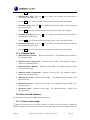
Note: The display console has five keys for basic operation: SET key, + key, HISTORY key,
ALARM key and MIN/MAX key.
5.1 Set Mode
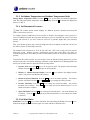
While in the normal mode, press the SET key for 3 seconds to enter the Set Mode. The Set mode can
be exited at any time by either pressing the HISTORY key or waiting for the 10-second time-out to
take effect. You can skip over any setting by pressing the SET key again.
Holding the + key (increase) or MIN/MAX key (decrease) when in the Set mode will change values
rapidly.
5.1.1 Set Time
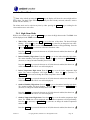
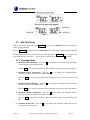
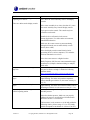
1. Time Zone. The time zone value will begin flashing.
Press the + key (increase) or MIN/MAX key (decrease) to adjust the time zone from -12 to 12,
based on the number of hours from Coordinated Universal Time, or Greenwich Mean Time
(GMT).
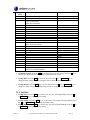
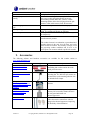
The following table provides times zones throughout the world. Locations in the eastern
hemisphere are positive, and locations in the western hemisphere are negative.
Version 1.1
©Copyright 2010, Ambient LLC. All Rights Reserved.
Page 10