1
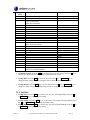
Figure 7
5.5 Min/Max Mode
While in the Normal mode, press the MIN/MAX key to enter the Maximum mode. The maximum
values will begin flashing.
Press the MIN/MAX key again to enter the Minimum mode. The minimum values will begin flashing.
The Min/Max mode can be exited at any time by either pressing the HISTORY key or waiting for the
10-second time-out to take effect. You can skip over any setting by pressing the + key again.
5.5.1 Maximum Mode
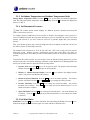
1. Maximum Indoor Humidity. Press the + key to display the maximum indoor humidity
with the associated time and date stamp.
Press the SET key to reset the maximum indoor humidity to the current value, date and time.
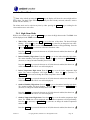
2. Maximum Indoor Temperature. Press the + key to display the maximum indoor
temperature with the associated time and date stamp.
Press the SET key to reset the maximum indoor temperature to the current value, date and
time.
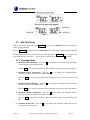
3. Maximum Outdoor Humidity. Press the + key to display the maximum outdoor humidity
with the associated time and date stamp.
Press the SET key to reset the maximum outdoor humidity to the current value, date and time.
4. Maximum Outdoor Temperature. Press the + key to display the maximum outdoor
temperature with the associated time and date stamp.
Press the SET key to reset the maximum outdoor temperature to the current value, date and
time.
5. Maximum Wind Chill. Press the + key to display the maximum wind chill with the
associated time and date stamp.
Version 1.1
©Copyright 2010, Ambient LLC. All Rights Reserved.
Page 17