1
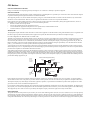
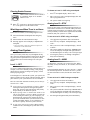
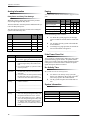
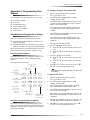
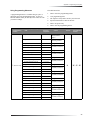
Panic Alarms Check the system status if: Your system sounds trouble beeps (five short beeps every minute). Your touchpads display, “Zones,” “POLICE,” “AUXILIARY,” or “FIRE.” Your touchpads display, “Press Status” or a blinking . The green READY light on fixed display touchpads is off. Short System Status A Short Status indicates the current arming level, sensor status (whether open or bypassed), low battery, supervisory, AC power or backup battery failures. To get a Short System Status: Press ‚. The system sounds beeps according to the current arming level. (One for Level 1, two for Level 2, three for Level 3.) Touchpads display the status information, for example: “System is OK,” or “SENSOR 02 OPEN.” If an alarm or system trouble condition has occurred, it is displayed on a touchpad the first time you perform a Short or Full Status check. Performing a system status check a second time displays the system status including any trouble conditions. If any alarm or system trouble is active, it continues to show up in every status check until the system is disarmed. Type of Alarm Alarm Sound Fire Repeating series of three beeps Police Continuous tone Auxiliary Rapid beeps Panic Alarms Panic alarms are easily activated from any touchpad to quickly alert the central monitoring station to a Fire, Police, or Auxiliary emergency. A panic alarm can be activated at any time, regardless of the current arming level: 1—OFF, 2—STAY, or 3—AWAY. This system is designed to inform a central monitoring station of the nature of the emergency so the correct personnel can be dispatched immediately. Fire Panic The Fire panic alarm sounds from all interior and exterior sirens. On monitored systems, the central monitoring station responds by calling the fire department. To activate a Fire panic alarm from a touchpad: Press and hold both Fire buttons for 2 seconds. Police Panic Alarm Full System Status The Police panic alarm sounds from all interior and exterior sirens, scaring off any intruder and alerting neighbors to the trouble. On monitored systems, the central monitoring station responds by calling the police. A Full Status combines the Short Status information with added details about specific system features. To activate a Police panic alarm using a touchpad: To get a Full System Status: Press and hold the Police button(s) for 2 seconds. Press ‚ + ‚. Interior sirens sound beeps according to the current arming level. Touchpads display the status information, for example, “SENSOR 03 BYPASSED,” “SYSTEM BATTERY IS OK,” or “AC POWER IS OK.” To activate a Police panic alarm from a keychain touchpad*: Ìi Press and hold the Lock and Unlock buttons at the same time for 2 seconds. * The installer must configure the Police panic alarm to work this way. A Full System Status is not available from the fixed display touchpad. System Alarm Sounds The sirens and touchpads in your system emit alarm sounds whenever an alarm occurs, either by a sensor or panic button activation. Each type of alarm sounds and reacts differently when activated, as described in the following table. 8 Auxiliary Panic Alarm The Auxiliary panic alarm sounds from interior sirens only. It is typically set up by your security dealer, based on your specific needs. On monitored systems, the central station responds by calling the service or agency you specified through your dealer.