1
playback.
Video download:
•
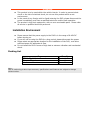
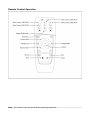
Connect USB Flash Drives or HDD to USB interface in front of the DVR
Shift to “Playback menu”, select target video for download by Remote control,
press “OK” to start copy.
Repeat for each section.
•
•
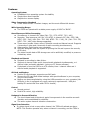
Alarm record time: Record 10-90 seconds after alarm activation.
GPS Transmission Interval: GPS signal transmission interval.
•
•
Alarm:
Network:
•
•
•
•
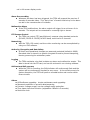
DOMAIN NAME: Used for 3G real-time viewing--Sets server domain.
SERVER PORT: Used for 3G real-time viewing--Sets server port.
STREAM SIZE: Available sizes--24kbps, 48kbps, 96kbps, 128kps
STREAM FRAME: Available rates--1~30 fps
Video Data Capacity
Required capacity of video and video-related settings:
VIDEO QUALITY
HIGHEST
HIGHER
HIGH(default)
BETTER
NORMAL
LOW
LOWER
LOWEST
Total Record Frames
120
120
120
120
120
120
120
120
frames
frames
frames
frames
frames
frames
frames
frames
Data Size Per Hour
1120 MB
1012MB
900 MB
780 MB
675 MB
560 MB
450 MB
340 MB
Note: Calculate recording times based upon your settings.