1
Page 4
UNDERSTANDING THE PROCESS
Internationalization Model
Our software model provides the ability to localize or customize the application without
recompilation through an internal and external architecture. Internally, all of the
development has made use of the Microsoft Windows Globalization framework, which
helps minimize issues related to internationalization. Externally, extensive use of
"resource" files has proven to be an optimum mechanism for localization. In our context,
resource files contain an internal "resource name" that identifies a "text string". These
"text strings" may appear as column headings, button labels, list options, navigation
elements and numerous other contexts within the software. We provide tools to assist in
the identification and translation of the "text strings" into other languages.
Localization Factors
Our model relies on browser, database, and operating system (OS) support to complete
the localization process, which is designed into the Microsoft Windows Globalization
framework. In any localization process, special attention must be paid to handling of
dates, time, currency, sorting, and user interface (UI) issues. Most of these are handled
properly by the underlying delivery mechanisms of the OS, database, and browser
settings. The notable exception is the UI.
The UI can be dramatically affected when using the translated text strings. String length
is the typical issue affecting the UI. Users expect labels, headings, etc. to fit on the page
in a visually appealing manner. It is one of the challenges that the localization expert
must overcome.
Resource File Hierarchy
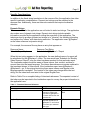
Resource files are generally of two types: Local resource files and Global resource files.
Local resource files are specific to a single Web page, master page, or user control. The
resources in these files can be used only for that Web file. These resource files are put
into the special App_LocalResources folder. A local resource file is named after the
Web file; for example, the resource file for the Home.aspx Web page could be
Home.aspx.resx, Home.aspx.es-mx.resx, and so on.
Note:
Each sub-folder of the Web site can have its own App_LocalResources folder.
The resources in a global resource file can be read from any page or code in the Web
site. These resource files are put into the special folder App_GlobalResources. This
folder exists at the root of the application. Any *.resx file that is in the
App_GlobalResources folder has global scope.