1
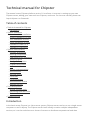
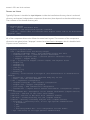
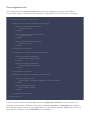
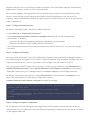
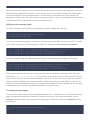
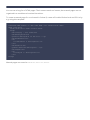
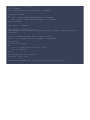
java.naming.provider.url="ldap://your.ldap.server:389"
bindDN="your_active_directory_name\\your_ldap_search_user"
bindCredential="your_ldap_search_user_password"
baseCtxDN="OU=your_ou,DC=some_more,DC=your_domain,DC=com"
baseFilter="(&(objectClass=user)(cn={0}))"
rolesCtxDN="OU=your_ou,DC=some_more,DC=your_domain,DC=com"
roleFilter="(&(objectClass=user)(cn={0}))"
roleAttributeID="memberOf"
allowEmptyPasswords="false";
};
The above LDAP information is very specific. You need to know your information to access your
LDAP service. To explore and learn about the required LDAP search strings and DNs the tool
"LDAP Browser" from LDAPSOFT (http://www.ldapsoft.com) showed to be of great help.
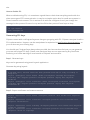
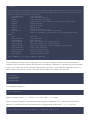
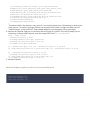
4. Replace all Chipster log4j.jar occurrences with the log4j.jar of JBOSS This will propably not be
necessary in future when chipster uses the newer files itself. cd /opt/chipster
find . -name "log4*"
./shared/lib/log4j-1.2.9.jar
./activemq/example/conf/log4j.properties
./activemq/lib/optional/log4j-1.2.14.jar
./activemq/conf/log4j.properties
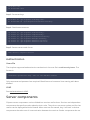
cp ./shared/lib/log4j-1.2.9.jar ./shared/lib/log4j-1.2.9.jar.bck
cp /YOUR_JBOSS_DIR/jboss-4.2.3.GA/client/log4j.jar ./shared/lib/log4j-1.2.9.jar
cp ./activemq/lib/optional/log4j-1.2.14.jar
./activemq/lib/optional/log4j-1.2.14.jar.bck
cp /YOUR_JBOSS_DIR/jboss-4.2.3.GA/client/log4j.jar
./activemq/lib/optional/log4j-1.2.14.jar
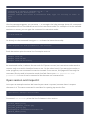
5. Restart Chipster
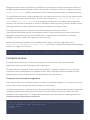
Relevant Chipster log files to look for errors and problems are
auth/logs/wrapper.log
auth/logs/chipster.log
auth/logs/security.log