1
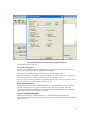
From Buffer Mode
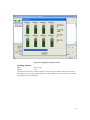
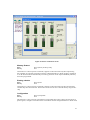
This mode functions as follows:
Normal
Every byte is written to the output file.
File shuffling
Odd
Every Odd byte is written to the output file.
Even
Every Even byte is written to the output file.
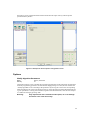
The following four options are used to write the buffer into four different files:
1st byte of 4
This writes the bytes 1, 5, 9, 13, ... into the output file.
2nd byte of 4
This writes the bytes 2, 6, 10, 14, ... into the output file.
3rd byte of 4
This writes the bytes 3, 7, 11, 15, ... into the output file.
4th byte of 4
This writes the bytes 4, 8, 12, 16, ... into the output file.
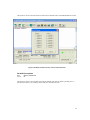
Load File
Menu
Hot-key
File | Load File
Alt+L
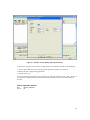
This option loads a file from disk into the memory buffer. The type of files that can be loaded for a
device depends on the device type.
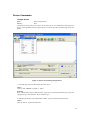
Select a file to load using the mouse, or type the filename in the box provided. You can also type in
a file spec. (e.g. *.hex) at the Name prompt. This will display all the files of the specified type, and
you can then select the required file to load.
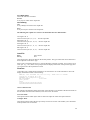
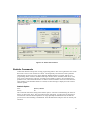
ViewText
Certain file types contain header information. Click on this box to see this information. This will
display information similar to the following:
ABEL(tm) 3.00a FutureNet Div, Data I/O Corp.
Created on: 15-Sep-04 04:17 PM
PROM8908 pin configuration Ver 3.0
AEC Programmers
4 NOV 2004*
QP20* QF2194*
L0000
01101111111111111111111111111111
00000000000000000000000000000000
JEDEC file for: P16V8R
Auto Format Detected
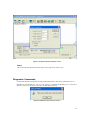
The software automatically detects the format of the file that is to be loaded. If the desired format of
the file differs from the format detected, select the correct file format.
From File Mode
This option indicates which bytes must be read in the input file. Select the required format.
To Buffer Mode
This option indicates where the byte previously read is to be written. This enables you to 'build' the
memory buffer from several files.
20