1
User Manual of iVMS-5200 Control Client
2.2.3 PTZ Control in Live View
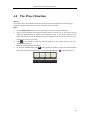
The software provides PTZ control for cameras with pan/tilt/zoom functionality. You can set the preset,
patrol and pattern for the cameras on the PTZ Control panel. And you can also open window PTZ
control for the operations of PTZ cameras by clicking Open PTZ Control on the right-click menu.
Click the icon
to expand the PTZ Control panel.
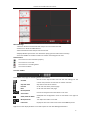
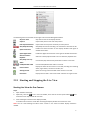
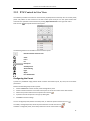
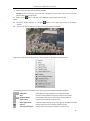
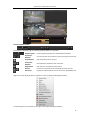
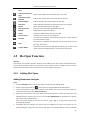
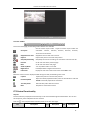
The following buttons are available on the PTZ Control panel:
Direction Button and Auto-scan
Zoom
Focus
Iris
PTZ Speed
Auxiliary Focus
3D Positioning
Light
Wiper
Lens Initialization
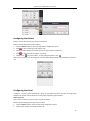
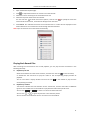
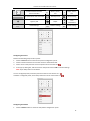
Configuring the Preset
A preset is a predefined image position which contains information of pan, tilt, zoom, focus and other
parameters.
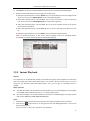
Perform the following steps to add a preset:
1.
Click the Preset tab to enter the PTZ preset configuration panel.
2.
Click the direction buttons on the PTZ control panel to move the camera to the desired view.
3.
4.
Select a PTZ preset number from the preset list and click
Input the name of the preset in the pop-up dialog box.
5.
Click OK to save the settings.
.
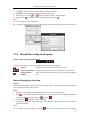
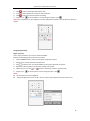
To call a configured preset, double-click the preset, or select the preset and click the icon
To modify a configured preset, select the preset from the list and click the icon
To delete a configured preset, select the preset from the list and click the icon
.
.
.
12