1
Index
1. Powerline Networking Installation ........................................................................................................... 2
1.1 Simple step to install Powerline Networking.......................................................................... 2
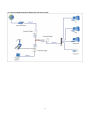
1.2 Application Block Diagram .................................................................................................... 3
1.3 Benefits ................................................................................................................................... 5
1.4 Features ................................................................................................................................... 5
1.5 Package Contents .................................................................................................................... 5
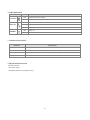
1.6 LED Definitions ...................................................................................................................... 6
1.7 Interface Description ............................................................................................................... 6
1.8 System Requirements.............................................................................................................. 6
2. Powerline Networking Utility ................................................................................................................... 7
2.1 Configuration Utility Setup .................................................................................................... 7
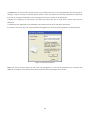
2.1.1 Installation of the Utility ...................................................................................................... 7
2.2 Windows Configuration Utility............................................................................................... 9
2.3 User Interface ........................................................................................................................ 10
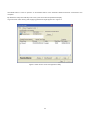
2.3.1 Main Screen ....................................................................................................................... 10
2.3.2 Privacy Screen ................................................................................................................... 14
2.4 Diagnostics Screen ................................................................................................................ 16
2.4.1 About Screen ...................................................................................................................... 18
2.4.2 Preferences ......................................................................................................................... 18
3. Push Button Setting ................................................................................................................................ 19
4. Trouble Shooting..................................................................................................................................... 22
5. Certification ............................................................................................................................................ 23
1