1
Product Overview
Description
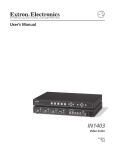
The IN1401 is an advanced RGB Video Scaler that takes an RGB signal at various scan rates and
resolutions and uses sophisticated digital video scaling technology to convert it to a standard VGA
video signal.
Features
2
•
Industrial and process control applications — The IN1401 can act as a bridge between
the installed base of proprietary process control systems and modern data displays.
Because the unit accepts a wide range of standard and non-standard analog video signals
and converts them to standard VGA resolutions and refresh rates, it also allows obsolete,
long-persistence phosphor monitors to be replaced with standard VGA monitors and flat
panel displays. The IN1401 also provides enhanced ergonomics by converting 50 and 60
Hz input signals to higher, flicker-free refresh rates.
•
A/V display system applications — The IN1401 provides an economical way to provide
high quality video scaling of NTSC and PAL RGB video signals from high-resolution
cameras, visualizers, document cameras and other devices featuring an RGB video output.
The IN1401 also provides superb up scaling for 640 x 480, 800 x 600 and 1024 x 768
resolution video signals, making it an excellent companion for LCD and DLP display
devices that have marginal on-board video scaling capability. The IN1401 has been
optimized for scaling RGB computer video signals, RGB signals from document cameras,
and other video signals that do not contain a great deal of fast motion. The IN1402,
IN1403, IN1404, and IN1404XT Video Scalers are recommended for applications requiring
superb video scaling for composite video, S-video, component video, and RGB video
signals containing fast, continuous motion.
•
Comprehensive input adjustment controls — Provided to optimize the unit when used
with proprietary and non-standard input signals. These input signal adjustments include:
Total Pixels, Active Pixels, Active Lines, Horizontal and Vertical Blanking, Phase and Scan
Type. Once adjustments are made to optimize non-standard input signals, these settings
are stored and automatically recalled when the same input signal is encountered again.
•
Blue screen — Provides a full-screen blue image for set-up and testing purposes. The
blue screen output signal (activated via on-screen menu) is always available, even when
the input signal is missing or the input settings are incorrectly adjusted. Blue screen is
ideal for establishing the desired output resolution, refresh rate and position settings, and
to verify the connection to the output display device.
•
On-screen control menus — Provides intuitive control for input and output signal
adjustments as well as advanced settings such as reset to factory defaults.
•
System Info — A menu option that uses the on-screen display to show comprehensive
information about both the input and output signals
•
Selectable output resolution and refresh rate — The IN1401 offers a wide range of
output resolutions to match the optimum or native resolution of virtually any display
device.
•
Output signal adjustments — Included for horizontal and vertical positions, brightness
and contrast, and individual gain controls for red, green and blue
•
RS-232 serial control (IN1401-2 Model Only) — Provided for all scaler functions
including input selections, image adjustments and output settings. The IN1401-2’s
comprehensive RS-232 control capacity facilitates complete system integration and
effortless control when combined with a third party control system.
IN1401 User’s Manual