1
10Troubleshooting
If MIX is not working properly or the display
freezes, you can reset it without losing data:
How do I reset MIX?
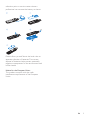
•• Insert a pen tip or other object into the
reset hole on MIX. Hold until the player
shuts down.
•• If the reset option is unsuccessful, recover
MIX through Philips Device Manager:
1
2
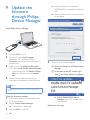
On your PC, launch Philips Device
Manager.
Enter the recovery mode:
aSwitch off MIX.
bPress and hold the Volume Up button,
and then, connect MIX to your PC.
cKeep holding the button until Philips
Device Manager recognizes MIX and
enters the recovery mode.
3
Start the recovery process:
aOn Philips Device Manager, click the
Repair button. Follow the onscreen
instructions to complete the recovery
process.
bWhen the recovery is completed,
disconnect MIX from your PC.
4
Restart MIX.
20
EN