1
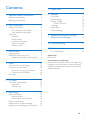
Contents
1 Important safety information
General maintenance
Recycling the product
7 Folder view
2
2
4
2 Your new player
6
What's in the box
6
PC software for the player
6
Files loaded on the player
6
Overview6
Controls6
Home screen
7
Lock/unlock the keys
7
Volume reminder
7
Screen on/off
7
3 Get started
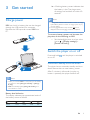
Charge power
Switch the player on or off
Automatic standby and shut-down
9
9
9
9
4Music
10
10
10
10
10
10
5 FM radio
12
12
12
12
6Recordings
13
13
13
13
13
13
14
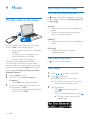
Transfer music to the player
Find music on the player
Find music by song information
Find music by file folder
Play music
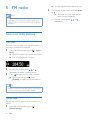
Tune in to radio stations
Auto tune
Manual tune
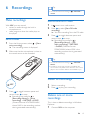
Make recordings
Record voices
Record from the FM radio
Listen to recordings
Delete one or more recordings
Upload your recordings to a computer
15
8Settings
16
Play mode
16
Sound settings
16
Display settings
16
Screen off timer
16
Language16
Information16
Factory settings
17
9 Update the firmware through
Philips Device Manager
18
10Troubleshooting
20
11 Technical data
21
21
PC requirements
Need help?
Please visit
www.philips.com/welcome
where you can access a full set of supporting
materials such as the user manual, the latest
software updates, and answers to frequently
asked questions.
EN
1