1
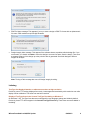
2. In the Model panel, select the machine model you are using.
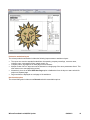
3. Activate the Bling! work area to visualize the design within the work area of the selected machine model.
4. Set the color of the work area as desired.
Send to Connection Manager
1. From the Standard toolbar, click the Send to Connection Manager button.
Wilcom DecoStudio e2.0Q SP2 Update
6/08/2012
15