1
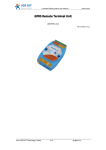
GPRS DTU User Manual V1.3
http://en.usr.cn
Content
GPRS Data Transmit Unit..................................................................................................................... 1
1. Product Description.........................................................................................................................3
1.1. Instruction............................................................................................................................ 3
1.2. Features................................................................................................................................ 3
1.3. Parameters........................................................................................................................... 4
2. Install............................................................................................................................................... 5
2.1. Packing list............................................................................................................................ 5
2.2. Size and Diagram.................................................................................................................. 5
2.3. Antenna and SIM Card Installation...................................................................................... 6
2.4. Power Supply........................................................................................................................6
2.5. Indicator Lamps.................................................................................................................... 6
2.6. Serial Port Instruction...........................................................................................................7
2.6.1. RS232 Definition........................................................................................................7
2.6.2. RS485 definition........................................................................................................ 8
2.6.3. TTL definition.............................................................................................................8
3. Parameter Configuration.................................................................................................................8
3.1. Hardware Connection.......................................................................................................... 8
3.2. Parameter Configuration......................................................................................................9
3.3. Software configuration.........................................................................................................9
3.3.1. Software interface introduce.................................................................................... 9
3.3.2. Software operation................................................................................................. 10
3.4. AT Command Configuration............................................................................................... 11
3.5. Message Configuration...................................................................................................... 11
4. Public IP Instructions..................................................................................................................... 12
5. Application Environment Testing.................................................................................................. 14
5.1. Application of Public Server............................................................................................... 14
5.2. Application of Router Transit............................................................................................. 18
5.3. Application of Server Transit.............................................................................................. 22
6. AT Command................................................................................................................................. 23
6.1. Set Key Parameter.............................................................................................................. 23
6.2. Configure DTU business Packet..........................................................................................24
6.3. Set TCP/IP........................................................................................................................... 25
6.4. Setting Example..................................................................................................................27
7. FAQ.................................................................................................................................................28
8. Contact...........................................................................................................................................30
9. File history..................................................................................................................................... 31
Jinan USR IOT Technology Limited
Page 2 of 31
[email protected]