1
Horus User Manual
Modules: MADI Sub-Menu
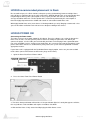
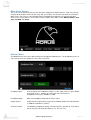
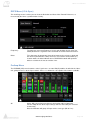
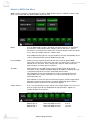
MADI 1 port is included as standard with each Horus. MADI 2 will be listed as “EMPTY” in Horus units
which are not fitted with the optional MADI expansion card.
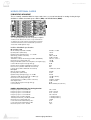
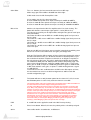
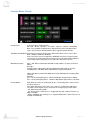
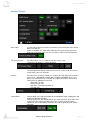
Mode:
Sets the MADI mode to either “Standard” (56 audio channels) or “Extended”
(64 channels). To determine which setting(s) you are able to use, please
consult the user manual of the device you are connecting the Horus to in order
to see which (if not both) formats it complies with.
Note: MADI Standard (56) can only be enabled at 1FS (44.1kHz/48kHz) above
1FS we will automatically revert to MADI Extended (64).
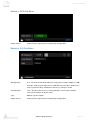
Physical Mode:
Choose the input signal to be derived from the Coaxial or Optical MADI
connections at the back of the Horus unit. You can choose to use either or, but
not both at the same time. On the Output side, however, both Coaxial and
Optical outputs are always driven in parallel.
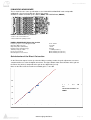
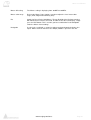
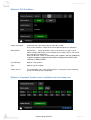
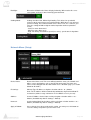
88.2/96k:
Choose between using 48k Frame (Legacy) or 96K Frame (High-speed).
This option is only available for MADI output at 88.2/96kHz sampling rate and
is dependent of the device used in conjunction with the Horus.
For information on why you might want to set this to something other than
Legacy/48K Frame, please consult the user manual of the device you are
connecting Horus to.
Note: Mykerinos users who are connected to the Horus should configure their
Mykerinos Pyramix general settings so that the MADI High Speed mode is
disabled and then set the Horus to 48k Frame (legacy).
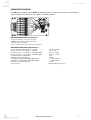
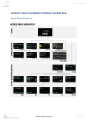
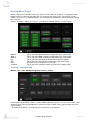
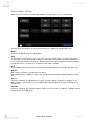
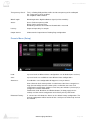
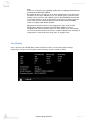
Output Sources:
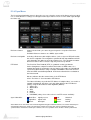
Users can route literally any input signal to any output module. Users can also
route any input signal to any combination of output modules. Signals are
routable in blocks of 8 channels.
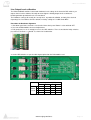
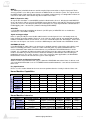
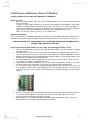
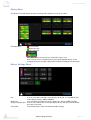
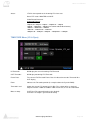
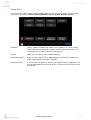
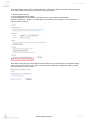
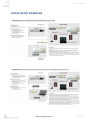
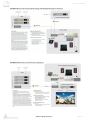
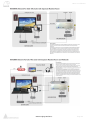
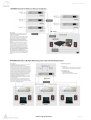
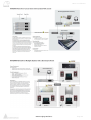
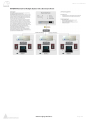
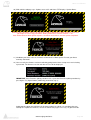
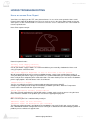
The example picture below shows a MADI output routing
Module AES 1:
Module AES 2:
Module AES 3:
Module A/D 1:
Routed to MADI channels
Routed to MADI channels
Routed to MADI channels
Routed to MADI channels
www.merging.com/horus
1 to 8
9 to 16
17 to 24
25 to 32
Page 47