1
•
•
•
3.4.1
Jingle/Misc Edit: The counterpart to the Music Edits tab for Jingles and other audio.
Jingle/Misc Import: The counterpart to the Music Import tab for jingles
Playlist Management: Allow the creation and maintenance of playlists within the package.
Importing Music – the Music Import tab
From Playout Manager, click on the Music Import tab.
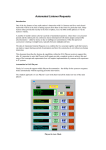
Music Import tab
Loading of music into Playout is designed to be as straightforward as possible. You can organise the folders where you
store you music in whatever hierarchy you choose, be it all the music in a several folders or organised by artist/album.
Playout Manager will automatically scan entire directory structures looking for music if necessary.
Loading music into the system can be achieved in a number of ways:
•
You can import an entire directory structure starting from a named directory. Using this option, Playout Manager
will scan the folder and all further sub-folders looking for audio files and making them available for loading into
the database.
•
You can manually pick and choose any number of audio files from a given single directory. Only these files will
then be available for import.
•
If you are happy using Windows Explorer or My Computer you can highlight the files there and then “drag and
drop” the files into the import window. Consult the online help for further information on this approach.
The most straightforward approach is to use the directory tree importer.
25