1
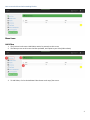
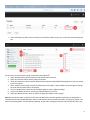
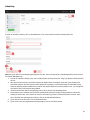
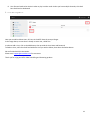
1. Select Edit Playlist to add or remove videos from the Playlist. When you do, your screen will look something like
this:
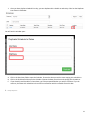
On this screen we see the videos listed in the Playlist called April 10th.
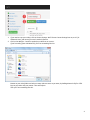
1. Select the Add Video to Playlist button to add another video to the list
2. Select the check box Video, and all videos are selected
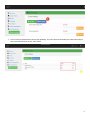
3. Check this check box to select only the Black Business Experience-April10th2015.mp4 playlist so you can remove
it from the playlist
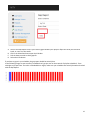
4. These numbers are the order in which the videos play in the playlist. These numbers can be changed to change
the order that the videos play in the playlist.
5. Click on the Back button to go back to the Playlist page to select a different playlist
6. Click on the Remove button to remove any selected Playlist from the list.
7. Select the Update button in order to refresh the page after playlist order changes.
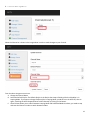
Note that you cannot delete a Playlist if it has been scheduled. Also note that playlists themselves can loop within a
schedule until the next scheduled playlist. Keep in mind however that the maximum number of loops for a playlist is 50
while in Scheduling Mode. For best quality streaming, do not select looping for playlists, and schedule 24 hours a day.
9