1
HP SURESTORE
USER MANUAL
4
How To Restore Files
Use HP SureStore to restore files you have backed up on your HP PMD drive.
Plug the HP PMD drive into the computer onto which you want to restore your files.
Double-click the HP SureStore icon in your system tray to start the HP SureStore
application.
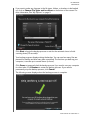
When the “Welcome to HP SureStore” screen appears, click the Restore button at
the bottom of the screen. Restore only appears if there is a backup file on the drive.
Select the backup file you want to restore files from, then click Open.
Next, select what you want to restore. Restore Everything is selected by default.
Choose this option if you want to restore everything that was backed up.
HOW TO RESTORE FILES – 6