1
IMPORTANT INFORMATION:
•
•
•
•
•
•
•
•
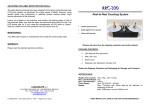
This product is a reel-to-reel label counter. It is only to be used to count
(rewind/unwind) labels of the recommended dimensions and weight in an indoor, dry
environment.
The machine has to be unplugged before any manipulation.
The machine is to be used on a flat surface, if the surface is not flat, it is to be fixed
using the holes in the base plate.
Do not leave the power cable in a passageway.
The ambient light of the working area needs to be sufficient to avoid any risk.
The dispenser can be used in ambient temperatures of +2°C to 40°C.
All measures have been taken to minimise risks of injuries with the take-up shaft but
the operator has to be careful when manipulating the bail.
Connection of the machine to the power source must respect local and European
legislations.
SET-UP:
1. Plug the Power Cord into a suitable AC Power Mains Outlet and to the power
input jack on the rear panel. Place the Power Switch on the rear of the RRC300-U to the “ON / 1” position. Observe that numbers are displayed on the
Counter.
The gap between two successive labels should at least of 2 millimetres (mm).
The label should of minimum 5mm height; the maximum width is 152mm.
The detector has been adjusted at the factory but may need to be re-adjusted
slightly for your labels. The procedure for calibrating the detector is described in
the enclosed sensor user manual. The detector is normally set for dark
switching.
WARNING!
This Product is for indoor use only.
Not for use in wet locations.
IMPORTANT!
It is recommended to use the machine at its maximum speed.
Keep unwind plate clean of particles and glue.
LEFT SIDE CONTROL PANEL:
See the separate User Manual for the Counter Modules itself for other
operations.
RESET: The new left-side control panel has
three items. The toggle switch (reset) is a
momentary closing switch, that has the same
function as the reset button on the counter, but
is more convenient for the operator.
2. The Counter is pre-programmed as a Preset Count-Up Counter. If you want
to use the preset function, introduce the number of labels with the blue push
button on the counter. If you do not want to use preset, set the value to “0”.
3.
ADJUST: Potentiometer.
When the preset number of labels is reached, the RRC-300-U will stop.
Pressing “R” on the counter will reset the count and restart the RRC-300-U.
TEST: Green LED
FOR YOUR SAFETY:
Switch off device before any manipulation.
ADJUSTING THE LABEL DETECTOR PHOTOCELL:
OPERATION:
The RRC-300-U uses a state of the art ultrasonic fork detector that allows the
RRC-300-U to count almost any type of labels, including transparent labels.
The ultrasonic detector detects the labels by sensing the difference in thickness
between the backing paper and the backing paper plus label.
The photocell adjust is set at the factory (fully clockwise). It should require no
field adjustment. It is used only to detect the end of the paper roll.
MAINTENANCE:
Your RRC-330-U requires no maintenance but to keep the unwind plate clean.