1
User Guide for Biometric School Enrolment Application
______________________________________________________________
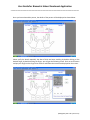
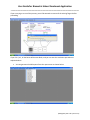
If the enrolment is successful, you will get the following screen with the finger image printed on the
corresponding box.
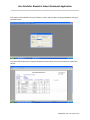
Repeat the enrolment procedure for the balance three more fingers. Minimum four fingers to be
enrolled.
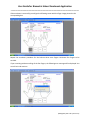
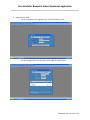
If you are exiting without enrolling all the four fingers, the following error message will be displayed. You
can still exit and continue.
(Managed by HCL Info systems Ltd.)