1
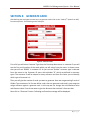
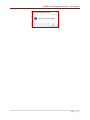
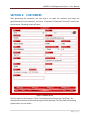
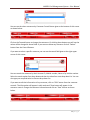
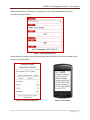
AARSOL Fuel Management System – User Manual SECTION 4: GENERATE CARD After defining the card types the next step is to generate cards. Click on the “Cards (5th option from left)” from the top menu. The following screen will open: Figure 6 : Generate Cards First of all you will select Customer Type from the first drop down menu. In customer ID you will see the first serial number of the cards which you will select from the menu. In above screen shot you will see “G0001” in customer ID. As you can see “Golden” customer type is selected from the menu so the Customer ID starts with alphabet “G” which we defined in customer types. The customer ID will be unique for every customer and from first letter you can identify which type of customer it is. Then you will give the number of cards you want to generate. Here we are generating 3 cards of Golden Type customers. So first we define cards, then we generate cards and in next stage we assign customer against a generate card. In this step we can change the Initial Balance value and discount value. If we do not want to give the discount then uncheck it from text box. Now click on “Generate” button. Following confirmation message will be displayed: 9 | P a g e