1
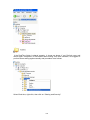
Take BACKUP of C:\Data Acquisition Studio\RealTime regularly and store in safe place.
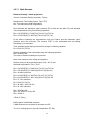
4.12.2 Restoring Project with Data
Install Data acquisition software
Copy Realtime folder to C:\Data Acquisition Studio
Open the project from data acquisition software
Start-Programs-RealTime viewer
4.12.3 Sending Project files
In case of any problems in configuration, if you wish to send project files, zip RealTime
folder available at C:\Data Acquisition Studio except data files and send it to us
If project is running for few days, then RealTime folder may become big size with
large storage data. If it is more data, it is difficult to send project files with data by Email.
So, before sending project configuration files, you may need to take out large data files
first and then send only configuration files. You may first copy total RealTime folder to
your desktop, and then remove the data files from RealTime folder at your desktop such
that it will contain only configuration files. Then, zip Realtime folder and send it to us
60