1
ACE PLUS CORP.
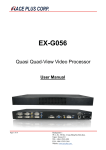
Panel Descriptions
Front View
1.
2.
Connect first DVI display here.
Connect second DVI display here.
Rear Panel
3.
4.
5.
6.
7.
8.
5V DC
Connect a device equipped with DVI output (such as a PC) here.
Rotary switch- Assign an ID (0-7) for the device while cascading. For
example, you can set rotary switch at 1 for the first EX-G048B and 2 for the
second EX-G048B. Please ignore the rotary switch when only single
EX-G048B exists.
Green LED- lights when the EX-G048B is selected.
Red LED- lights when power on.
Infrared Receiver
Page 5 of 8
Headquarters :
9F-2., No. 190 Sec. 2 Jung Shing Rd.,Hsin-dian,
Taipei, Taiwan 231
TEL: +886-2-2912-4201
FAX: +886-2-2912-3164
Website: www.ace-plus.com