1
Appendix A
Guidelines for Expanding the Infinity SQL Database
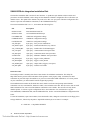
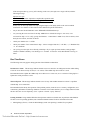
The Infinity database is located on a Windows NT server. The database can be expanded either graphically, using
the SQL Administrator Tools, or from a command line using ISQL, the old-fashioned way.
For Both Methods:
1.
Shut down Infinity and SQL, and backup the SQL data files.
DO NOT PROCEED UNTIL A VERIFIED BACKUP OF THE SERVER HAS BEEN MADE...NO
EXCEPTIONS!
2.
Restart the SQL SERVER and make sure Infinity and EPISuite are NOT started.
Using SQL Administrator Tools:
3.
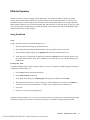
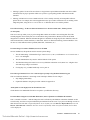
Double click the SQL Administrator icon at the server, and then double click the Devices icon. From the
device list, determine the file names, logical device numbers and sizes of your current devices. Then,
determine the names, numbers and sizes of your new devices. Usually you need to add an INF_DEV2 (or
3, etc.) along with an INF_LOG2 device, where the log device is 20% - 25% of the DEV device in size.
4.
Select Manage> Add Devices from the menu and follow the instructions on the forms for creating the
devices.
5.
Restart SQL
From the Command Line:
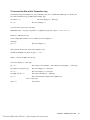
From the root directory (or maybe from the SQL directory) type:
Command
Response
ISQL -Usa -P -Sinfinity <cr>
returns a 1> then type:
Use inf_db <cr>
returns a 2 > then type:
go <cr>
returns a 1 > then type:
sp_spaceused < cr >
returns a 2 > then type:
go <cr>
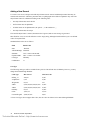
Data is displayed as follows: (Actual data may vary.)
database name
database size
reserved
data
index size
unused
inf_db
19Mb
4110Kb
2080KB
214KB
1816KB
The data reports that the size of the inf_db is 19Mb. The amount in use is displayed in bytes.
[Data (2080) + index_size (214)] * 1M (1024 ) = size in bytes.
EPISuite – SX8000 User Guide
Technical Manuals Online! - http://www.tech-man.com
21