1
UMC1100(V2.0)User’s Manual
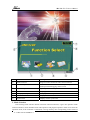
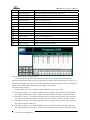
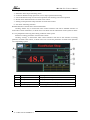
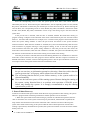
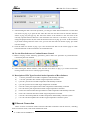
Maintain button
Program operation remain button
Skip button
Program step skip button
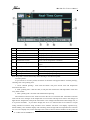
Alarm indicator
When the system has a fault, it will alarm with a flashing
indicator. Click to check more.
Reservation indicator
Awaiting the system’s reservation to power on
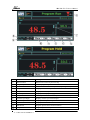
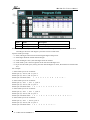
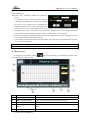
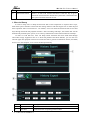
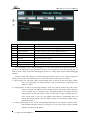
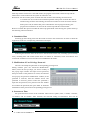
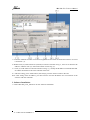
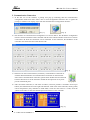
Detail information interface of program control:
Clicking “detail” button in program main control interface will lead to detail information
interface of program control, which enables users to check detailed information about the system
status and observe the system’s working condition.
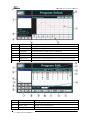
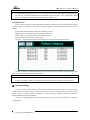
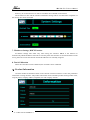
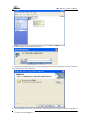
Process setup:
Clicking “edit” button in program main control interface will lead to process setup interface, in
which users can check process curve of high and low temperature, select process to set.
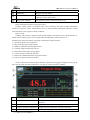
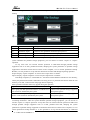
Introduction to operation buttons of program control main control interface:
1)Operation: Operate current process.
2)Stop: End current operating program.
3)Maintain: Maintain current program status.
4)Continue: Program operation recovers.
5)Skip: Skip current step to next program.
6)Cancel: Cancel set reserved operation.
7)Detail: Go to detailed interface of program control.
8)Edit: Go to process selection interface.
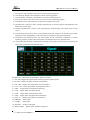
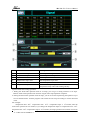
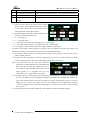
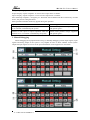
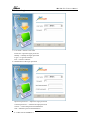
Click A and B area in detail program interface, and the user’s logging in dialog box will pop up.
After user selection and code confirmation, it will go to “input correction” interface.
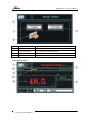
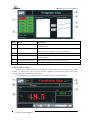
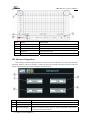
Item
Name
Description
①
Return button
Click this button to return to program main control
interface
②
Temperature OUT%
Display current temperature output percent
③
Program operation information
Display relevant information of program operation
④
DCU output point name
Click to go to signal quantity interface
V:UMC1100.2.0.USER.E1.0
-6-