1
Table of Contents
Pathway Software Guide
INTRODUCTION..................................................................1
Facts About Hypertension.....................................................2
How is Blood Pressure Measured?........................................ 2
The Next Step..................................................................3
Accuracy of the Pathway Systems...................................5
Interpreting the Results....................................................5
I. INSTALLATION.............................................................. 8
System Requirements.............................................................8
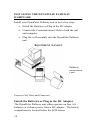
Installing the DynaPulse Pathway Hardware .....................10
Install the Batteries or Plug in the DC Adapter.............10
Connect the Communication Cable ..............................11
Plug the Cuff Assembly into the DynaPulse Pathway
Unit.......................................................................11
Install The Dynapulse Pathway Software ........................... 11
Setting Up The Software......................................................12
II. GETTING STARTED WITH THE DYNAPULSE
PATHWAY .........................................................................13
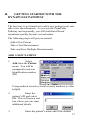
Add a New Patient............................................................... 13
Take a Test Measurement.................................................... 15
Take and Save Several Measurements.................................18
Guidelines for Blood Pressure Measurement.......................19
Position the Patient Correctly........................................19
Use the Correct Cuff......................................................20
Patient List........................................................................... 21
III. BASIC OPERATION.................................................. 22
Measurement Result.............................................................22
Blood Pressure Estimation............................................ 22
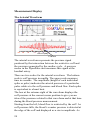
Measurement Display....................................................24
Trending and Statistical Analysis ........................................30
The Trend window........................................................ 30
Statistical Analysis........................................................ 31
Editing the Trend Display to Validate Results .............33