1
REGISTRATION – SIMPLE CHANGES TO THE TOP 5 PARAMETERS
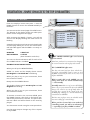
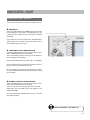
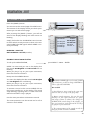
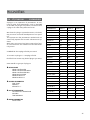
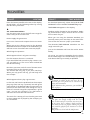
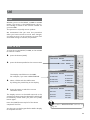
[4] TR ACK ON / OFF / MUTE
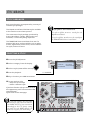
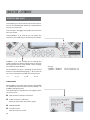
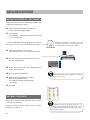
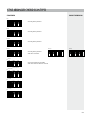
From the Display's Home View Press 3 times the
[PAGE+] button to access the TRACK ON/OFF/
MUTE parameters.
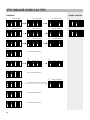
OFF
ON
MUTE
DESKTOP
FAVORITE
9 - 16
02 VOLUME 000%
deactivates the track completely
plays the track
only in this SCENE (1, 2, 3, 4),
the track is muted
(see more on page 24)
04 VOLUME 000%
01 VOLUME 000%
03 VOLUME 000%
05 VOLUME 000%
TRACK VOLUME and TRACK ON are only
for MIDI files and styles. These settings do not
affect MP3 audio files.
The track ON/OFF setting is saved for each SCENE
(1, 2, 3, 4) in the REGISTRATION.
For more information, see below.
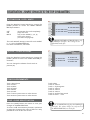
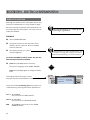
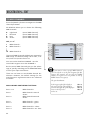
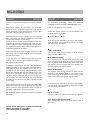
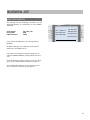
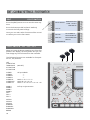
[5] FILE - TR ACK VOLUME
DESKTOP
FAVORITE
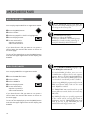
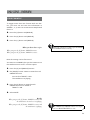
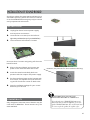
From the Display's Home View Press 4 times the
[PAGE+] button to access the TRACK VOLUME parameters.
9 - 16
02 TRACK ON
04 TRACK ON
01 TRACK ON
03 TRACK MUTE
05 TRACK ON
You can change the volume of each track in
percent (%).
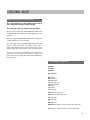
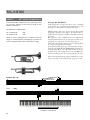
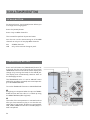
TR ACK ASSIGNMENTS
Track 1 Bass Drum
Track 2 Snare
Track 3 HiHat
Track 4 Toms*
Track 5 Ride*
Track 6 Crash
Track 7 various percussion or other drums
Track 8 various percussion or other drums
Track 9 Bass
Track 10 various
Track 11 rhythm guitar
Track 12 various
Track 13 various
Track 14 various
Track 15 pad/surface sound
Track 16 Intro 1 – click
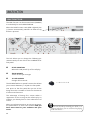
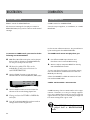
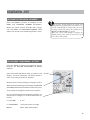
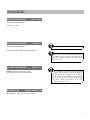
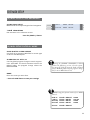
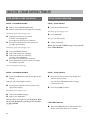
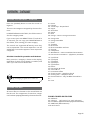
SAVE > SAVE REGISTR ATION
Press the [SAVE] button two times to save your
changes in the REGISTRATION.
To save in a different memory location, read more
on page 49. Changing the name of the file is only
possible on a PC in the 1.30 version.
The V3 DESKTOP only plays back MIDI files
and styles. The volume changes are only saved in
the REGISTRATION, not in the file!
21