1
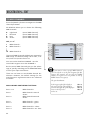
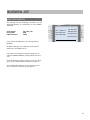
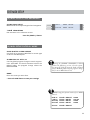
EDIT – GLOBAL SETTINGS – VOLUME PEDAL
VOLUME PEDAL
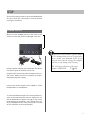
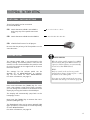
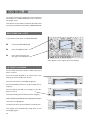
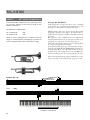
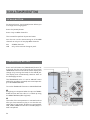
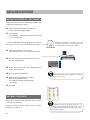
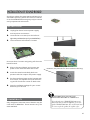
Potentiometer
100k
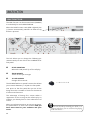
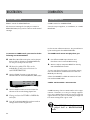
This parameter allows you to select which sounds
are affected by the volume control.
AUTO-FILTER
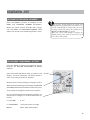
DC IN
If the volume pedal is activated on a sound, then
the incoming MIDI controller No. 11 (expression)
data is automatically filtered out on that MIDI
channel. It would not make sense to play piano
on the accordion while the foot pedal is on forte.
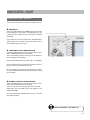
The volume pedal setting can also be used individually for each REGISTRATION.
This means that you can use the bellows dynamic
when the volume pedal for that sound in the REGISTRATION is turned OFF.
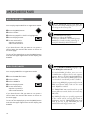
PEDAL
FS1
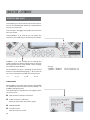
COPY
SAVE
FS2
LINK
EDIT
HARM
FS3
MIDI-IN
THRU
CA1
The MIDI controller 11 (expression) is for
dynamic volume changes from piano to forte.
MIDI accordions send this controller data when
the bellows pressure changes.
There are a number of ways the volume pedal
can be applied.
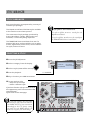
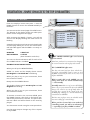
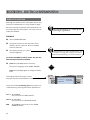
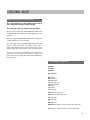
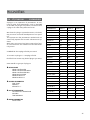
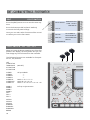
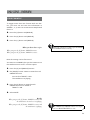
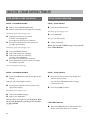
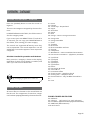
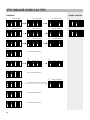
VOLUME PEDAL PAR AMETERS
OFF
R
R+L
R+L+B
R+L+B+D
L+B+D
volume pedal applies to all R sounds
-“R+L
-“R+L+B
-“R+L+B+D
-“L+B+D
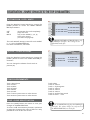
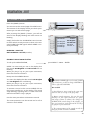
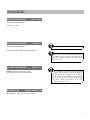
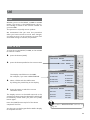
The GLOBAL setting affects all default REGISTRATIONS.
If this setting is made directly in a REGISTRATION,
then this setting takes precedence over the GLOBAL setting.
Use GLOBAL for the settings you need most often; select the functions that deviate from those
in the REGISTRATION.
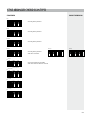
[L+B+D] means that you are using the volume
pedal on these sounds. LBD is controlled by the volume pedal, channel R is not controlled by footpedal
and therefore - you can use bellowdynmik - this
means
BLD is fixed with foot - R = bellow for solo
51