1
GasAlertMicro 5
Maintenance
5.
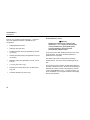
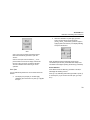
Insert the battery pack back into place and secure
the latch.
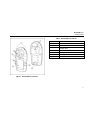
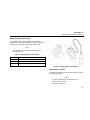
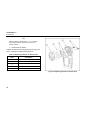
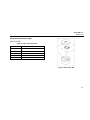
Table 12. Replacing the Batteries
Item
Description
1
Detector
2
Latch
3
Battery pack
4
Battery tray
5
Captive screws (2)
6
Alkaline batteries
7
Battery shell
Figure 4. Replacing the Batteries
Replacing a Sensor or Sensor Filter
a Warning
To avoid personal injury, use only sensors
specifically designed for the detector. See the
section Replacement Parts and Accessories.
Each sensor has a high degree of resistance to common
vapors and gases. A sensor will most likely clear itself if you
move the detector to a clean environment and wait 10 to 30
minutes. Do not expose a sensor to the vapors of inorganic
solvents, such as paint fumes or organic solvents. The
Troubleshooting section describes problems caused by a
sensor in need of calibration or replacement.
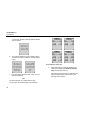
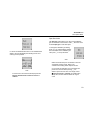
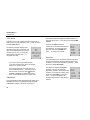
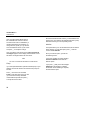
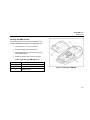
To replace a sensor or sensor filter, refer to the following
figure, table, and set of instructions.
1.
If the detector is on, turn it off.
2.
Remove the two machine screws on the rear shell
and remove the sensor cover (or optional pump
module).
3.
Replace the sensor filter or replace the sensor(s).
Gently rocking the sensor back and forth may help
free a tightly held sensor.
4.
Insert a new sensor, ensuring that sensor posts are
aligned correctly.
49