Transcript
QUICK START GUIDE
IED1522LR LOGIC/RELAY MODULE
IED1522LR Logic / Relay Module
Quick Start Guide
INTRODUCTION
The 1522LR Logic / Relay Module is a cost effective interface module
that operates as an integral part of an IED GLOBALCOM system. It
is a web-enabled, programmable relay device for a wide variety of
remote control and automation applications. It has two electro-mechanical relays, two optically-isolated inputs, and a wealth of cuttingedge features. The relays can be controlled remotely using actions
configured in the GLOBALCOM control software. The opticallyisolated inputs can be used trigger actions or as logic monitor points
that will register faults in the system. The module receives its power
over IEEE 802.3af PoE (Power over Ethernet) and communicates with
other system devices over the Ethernet network.
BASIC SETUP PROCEDURE
1. Connect unit to power and network.
2. Set up a computer on the same network as the input module. To do this, set the IP address of the computer to
10.2.150.x (where “x” can be any unused address between 1 and 174) with a netmask of 255.0.0.0.
3. Configure the 1522LR using web browser. Do this by pointing browser to http://10.2.150.175/setup.html. The login username is admin and the password is iednet (all lower case).
4. Set the permanent IP address in the configuration page. Restart the 1522LR (remove power, re-apply power). After restarting the 1522LR, set the computer back to its original settings and access the 1522LR at its new IP address.
5. Connect relay contacts.
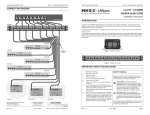
1522LR Pinout
Factory Default Settings
IP Address:
Subnet Mask:
Control Web Address:
Setup Web Address:
Vin+*
power
supply
Power Supply Input -
+5
+5V DC output (50mA max)
255.0.0.0
Gnd
Ground (common) for 5V out
http://10.2.150.175
In1+
Optically-Isolated Input 1 +
In1-
Optically-Isolated Input 1 -
In2+
Optically-Isolated Input 2+
10.2.150.175
+5V
http://10.2.150.175/setup.html
Setup Username: admin
Setup Password:
Control Password:
Power Supply Input +
Vin- *
iednet (all lower case)
no password set
Full user manual may be downloaded from
CPU
www.iedaudio.com
For technical support, email questions to
In2-
Optically-Isolated Input 2-
1C
Relay 1 common
1NC
1NO
Relay 1 Normally Closed
Relay 1 Normally Open
2C
Relay 2 Common
2NC
2NO
Relay 2 Normally Closed
Relay 2 Normally Open
CPU
[email protected]
* - Power supply input terminals not used
when device is connected to PoE source
Innovative Electronic Designs, LLC
9701 Taylorsville Road
Louisville, KY 40299, USA
REV: 11-12
+1.502.267.7436 phone
+1.502.267.9070 fax
www.iedaudio.com
DOC: 1214C
©2012, Innovative Electronic Designs, LLC