1
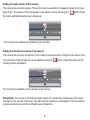
Talk back into the baby room:
You can speak into the baby’s room by using the talkback button from either your smart phone or
tablet. Your voice will come through the loud speaker located in the camera. Press the
The icon
will now change to icon
button.
. Then speak into the microphone on the smart phone or
tablet. Your voice will be heard in the nursery. The volume of your voice can be set as described in
the following: Set the camera audio volume by pressing the
If the audio volume is muted (with this
button), the mute (
disabled if the talk function is turned on by pressing the
button.
) function will be temporarily
button. The
icon will then re
appear.
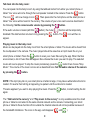
Playing music in the baby room:
Music can be played into the baby room from the smart phone or tablet. The music will be heard from
the loudspeaker in the camera. The music played should be saved as an mp3 music file on your
smart phone or tablet. Press the
button to scan your music files using the app. When the files
are scanned, a list of music files will appear. Now choose the music you want to play. The selected
music will now be played. To stop the music prematurely, press the
button then choose “Stop
Music”. The volume of the music can be set as described here: Set the audio volume of the camera
by pressing the
button.
NOTE: If the mp3 play list on your smart phone or tablet is large, it may take a while before the list is
loaded. If it seems that nothing is happening, be patient until the entire list is loaded.
This also applies if you want to stop playing the music. Press the
again.
button, to start loading the list
The “Talk back to the nursery” and “Play music to the nursery” is only available when the smart
phone or tablet is connected to the same internal network as the camera. Connecting your smart
phone or tablet to these functions from outside the internal network will not be possible because of
the bandwidth limitations. The icons in the app. will disappear (
9
and
).