1
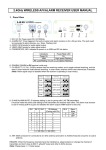
3.3.1. The slave items follow the first slave item:
1. Set up the dipswitches to OFF at the Master item.
2. At the slave item please set up all dipswitches excepting #10 to ON. The dipswitch #10
has to stay in OFF mode.
3. Now all items follow the firts slave item and the master not.
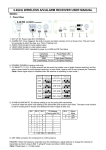
3.3.2. The slave items follow the master item
1. At the master please set up all dipswitches to OFF
2. At the slave item please set up the dipswitches excepting #10 to ON. The dipswitch#10
should stay in OFF mode.
3. Now all the items follow the master.
3.4. DMX Mode
You can use this item as 3 or 5 channel dmx item.If you use a dmx controller you are able to
create own programs.
1. With this mode you can use every function of the item by using a dmx controller.
2. To choose the 3 channel mode please set up the dipswitch #10 to ON. If you prefer the 5
channel mode please set up the dipswitch #10 to OFF.
3. Set up the desired dmx address with the dipswitches 1-9 according to the binary system.
4. Now you can connect and control the item by every standard dmx controller.
4. DMX Table
DMX-WER
3-Channal Table
Channel
Value
Function
1
0 – 255
Red Dimming 0 – 100%
2
0 – 255
Green Dimming 0 – 100%
3
0 – 255
Blue Dimming 0 – 100%
5-Channal Table
Kanal
Wert
Funktion
1
0 – 255
Red Dimming 0 – 100%
2
0 – 255
Green Dimming 0 – 100%
3
0 – 255
Blue Dimming 0 – 100%
4
0 – 15
Strobe open
16 – 255
slow to fast
0 – 255
Master Dimmer 0 – 100%
5
5/6