1
Introduction
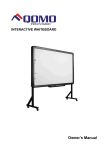
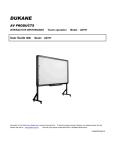
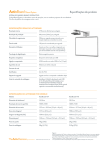
The Interactive whiteboard uses infrared technology. Working seamlessly with a
projector and computer, the Interactive whiteboard provides more convenient,
interactive and effective presentations. Perfect for school auditoriums, conference
rooms, trade shows, symposiums and lecture halls. Users can write on the screen
using the included pens, wand or the user’s finger.
Software Features:
- Designed for teaching and conference systems.
- The screen display is high light and low glare.
- Saves images in Vector image format.
- Vector images take up less storage space and makes file transferring easier
and faster
- Writing: Write, draw and perform mouse functions with your finger. The
whiteboard displays your penmanship instantaneously.
- Users can customize pen type, line width, and color schemes to fit their
- Annotating: The user can operate and annotate over any computer applications, or save notes directly into Flow! Software, including PowerPoint, Word,
Excel, MEPG JPEG, AVI and etc.
- Powerful screen functioning supports real-time editing
- Interacting: In video conferencing, both parties can share data and write in
real time just like a standard conference room. Once integrated with Polycom
or other video conferencing systems, using Interactive whiteboard can improve
video conference results and efficiency. The system can support up to 40 writing locations.
- Paintbrush pen is pressure sensitive
- Touch System: The Interactive whiteboard is sensitive to pressure and can
be used as a high-resolution interactive white board.
- Touch Recognition: Can recognize touch of a single-finger, multi-finger,
right-click, left-click and double click.
individual preferences.
- Graphic tools allow users to choose a background, input graphics and
images.
- Writing file allows for easy conversion to many other formats such as: PDF,
JPG, GIF, PNG, TIFF, BMP, etc.
- Graphic tools and Hot Keys allow users to choose a pen to annotate, or use
as a mouse control. The 12 Hot Keys function as: Page Up & Down, Insert
White Background, Insert Black Background, Select Pen Size, Eraser, Save
and Cancel.
- Supports other application software.
- Hot Keys: Hot keys located on opposite ends of the boards provide quick
access to frequently used keys.
- Energy conservation: Controls energy cost within 0.5W. No need for additional power supply.
Note: The projection area is outlined at the upper left and lower right corner of
the board using these icons(“
4
”). Please project onto this area for best results.
5