1
®
Before Using the Projector
17
Remove Dust Cover Before Turning on Power
17
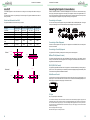
Connecting to AC Power
17
AC Outlet
18
Turn On
19
Changing the OSD Language
19
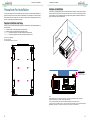
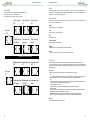
Adjusting the Projection Mode
Front Table
Rear Table
Front Ceiling
Rear Ceiling
Rear Tabletop
20
20
20
20
20
20
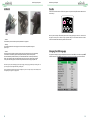
Lens Adjustment
Vertical Lens Shift
Horizontal Lens Shift
Zoom In/Out
Focus
20
20
20
20
20
Start Using the Projector-Operation
Select the Input Source
Select the Aspect Ratio
Use OSD (OnScreen Display)
2
®
21
21
21
21
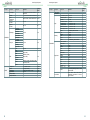
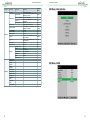
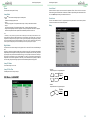
OSD Menu Tree
21
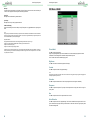
OSD Menu - Main Selection
25
OSD Menu - MAIN
Aspect Ratio
Preset
Input Selection
3D Control
25
26
27
27
27
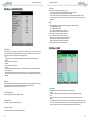
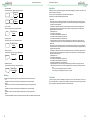
OSD Menu - IMAGE
Picture Model
Brightness
Contrast
Saturation
Sharpness
Hue
Noise Reduction
29
29
29
29
29
29
29
29
OSD Menu - ADVANCED IMAGE
Color Space
Gamma
Color Temperature
Dynamic Black
Adaptive Contrast
HSG
30
30
30
30
30
30
31
OSD Menu - LAMP
Lamp Mode
Power
Lamp Select
High Altitude
Lamp 1/2 Status
Lamp 1/2 Run Time
31
31
32
32
32
32
32
OSD Menu - ALIGNMENT
Lens Control
Center Lens
Warp
Blanking
Edge Blend
Test Pattern
32
33
33
33
34
35
35
OSD Menu - Control
Language
OSD Setting
Blank Screen
Projection Mode
Auto Power Off
Auto Power On
Startup Splash
Trigger 1 & 2
Auto Source
Infrared Remote
Network
36
36
36
36
36
37
37
37
37
37
37
37
OSD Menu - Service
38
Maintenance
39
Replacing the Lamps
How to Replace the Projector Lamp
39
39
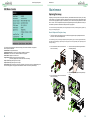
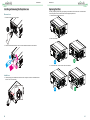
Installing or Removing the Projection Lens
Remove Lens
Install Lens
40
40
40
Replacing the Filter
41
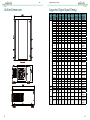
Outline Dimensions
42
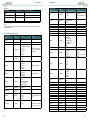
Supported Signal Input Timing
43
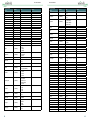
3D Signal Input Mode & Timing
44
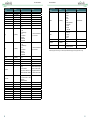
Serial Interface RS-232 Command
Communication Parameter Setup
Operation Commands
List of Operation Commands
Simulated IR Remote Controller Commands
45
45
45
46
52
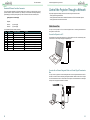
Control the Projector Through a Network
53
Cable Connection
Connect the Projector to a PC
Connect with an External Integrated Video and Control Signal Transmission Box
53
53
53
Set Up the Projector for Networking
54
Control the Projector Through a Network
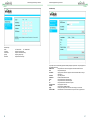
Control the Projector Through a Web Browser
Control Projector with the PJLink Protocol
Control Projector with TCP/IP Communication Protocol
55
55
58
58
Specificatons and Support
59
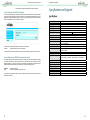
Specifications
59
Vivitek Support
60
3