1
1
2
3
4
5
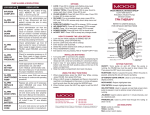
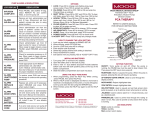
SETTING UP THE PUMP
Install 2 new “C” size alkaline batteries (Duracell ProCell)
or connect Battery Pack, or AC adapter to port at bottom
of pump.
Prepare IV bag and attach a new administration set.
Eliminate all air from the bag and the administration set
(see PRIMING THE SET).
Install set and close pump door.
Attach set to venous access device using agency protocol.
7 Then complete the prescription menu:
8 Select from the Run/Options menu:
Note: If a Check Valve Adapter is provided with your administration set, remove it from the package and connect it to the
distal end of the set.
Press NO to review prescription, OPTIONS to view options
menu, PRIME to prime set, or press RUN key to start infusion.
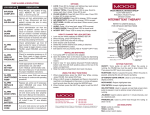
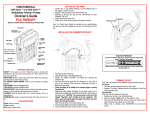
INSTALLING THE ADMINISTRATION SET
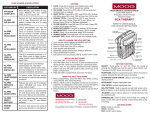
PRIMING THE SET
CAUTION: Disconnect set from patient’s access site before
priming. Sets with in-line ASV must be primed on the pump.
Important Notification
A lack of compliance with proper positioning of the
tubing could result in infusion inaccuracies.
Please center the tubing in the pumping area when
installing the administration set.
1
2
3
4
5
6
7
8
9
Fully open the door of the pump.
Close the slide-clamp on the administration set.
Activate the Integral “Flow-Stop” by twisting and removing
the breakaway tab.
Insert the blue tubing guide into the receptacle on right
side of pump in the direction of the blue arrow, positioning
the tubing in front of the door hinge.
Center the tubing in the middle of the pumping fingers,
covering the yellow dot.
Holding the yellow Integral “Flow-Stop” by the handle,
insert it on an angle into the receptacle on the left side of
the pump in the direction of the yellow arrow.
CAUTION: Do not press down on the top of the
Integral “Flow-Stop” when inserting it into the
receptacle. This action could inadvertently open the
Integral “Flow-Stop” and allow fluid to flow through
the tubing.
Open the slide-clamp on the administration set.
Push the tubing slightly into the black Air Detector slot.
Fully close the door of the pump and latch it securely.
1
2
3
4
5
6
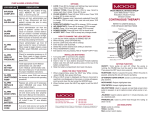
PROGRAMMING FOR CONTINUOUS THERAPY
Turn the pump on.
Observe the self-test, the LED lights, and the power
source screen.
Select PROGRAM from the first selection menu.
Select NEW PROGRAM to program a new therapy manually.
If multiple therapies are available, select CONTINUOUS
from the therapy selection menu.
Complete the pre-prescription menu:
NOTE: Press YES at each field to confirm each value.
By Gravity:
1 Twist and remove breakaway tab from “Flow- Stop”.
2 Squeeze “Flow-Stop” between thumb and forefinger to
allow fluid to flow through tubing.
By Pump:
Note: Set must be installed into the pump.
1 Release any clamps on the administration set.
2 Press and release PRIME key from “Run Options” menu
3 Press and hold the PRIME key until set is free of air;
release key to stop (each prime cycle allows up to 6 mL
of fluid).
4 When prime is complete, press YES/ENTER to exit the
prime screen.
Once pump is infusing
While CONTINUOUS infusion is running, the display will
alternate between various information screens.
To interrupt or pause an infusion, press RUN/PAUSE key.
Select from the pause menu: Select RESUME to continue
therapy without interruption. Select REPEAT Rx when hanging a new bag.
9 When the infusion is complete, the following screen
displays:
10To stop a therapy, press PAUSE then turn pump off.