1
TimeStorm User’s Manual
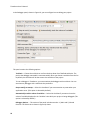
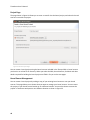
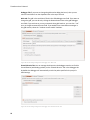
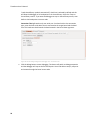
Figure 28: Project References Panel
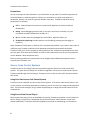
By selecting entries in this dialog, TimeStorm will build those projects before the current project (if, in
fact, they needed to be rebuilt). Project references can be nested several levels deep, so that if a
referenced project has other references, those references also will be rebuilt, if necessary. This ensures
that the top-level project has all of its dependencies built before starting its build. In this way, the
developer has the same degree of control as one would have when using a traditional “nested” make
file.
Integrating application project into Desktop Factory
After you have developed your application in TimeStorm, you can integrate the project into desktop
factory that is used by your company’s build system. The project will be built using the toolchain that is
used by desktop factory.
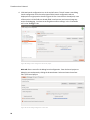
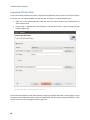
To integrate an application into desktop factory, build the project in TimeStorm, right click on the
project and click Export > C/C++ > Desktop Factory Integration and click Next. This will open a desktop
factory integration dialog as shown below in Figure 29.
42