1
8
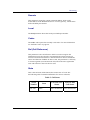
TROUBLESHOOTING
This chapter contains information to help you solve problems that
may occur while installing and using the MX100-TG gateway.
GETTING HELP
If, after installing and configuring your New Rock equipment, you cannot
establish Technologies to or from the unit, carefully review the
information in this book and in the other books prior to calling Customer
Support (CS).
Before going any further, ensure that you have checked the following:
y
y
y
y
MX100-TG User Manual
Console Port configuration. Verify that the baud rate of your
terminal is set to 9600 bps.
Power reset. When cycling power, be sure to leave the power off for
a minimum of 30 seconds before reapplying power to the unit.
Command review. Review the MX100-TG gateway commands in
the Configuration chapter.
Software version. To ensure that you have the latest enhancements
and product features, New Rock ships every unit with the latest
software version. Therefore, when you are installing or reinstalling
units into your system, verify that each unit is equipped with
identical software versions.
77