1
USER’S MANUAL
5.3.2
Page 40
Removing the Paper Report
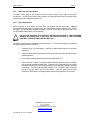
The paper cutting edge of the printer is located under the paper at the edge of the printer
mechanism. To tear off the report, hold the paper from the right side and pull the paper down
(snap it) against the cutting from right to left.
5.3.3
Paper Replacement
When the printer is out of paper, the yellow EOP, out-of-paper LED will blink slowly. PRIMUS
recommends that the paper be replaced when the end-of-paper indicator appears at the edge of
the paper. The end-of-paper indicator is usually a red line on the edge of the paper strip. The
use of PRIMUS printer paper is recommended.
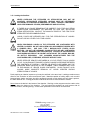
DO NOT RUN ANOTHER CYCLE AFTER THE RED LINE APPEARS. THE STERILIZER
SHOULD BE TURNED OFF TO REPLACE THE PAPER, OR DATA IN THE STERILIZER
CONTROL OR PRINTER BUFFER MAY BE LOST.
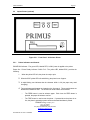
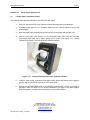
The paper compartment is located behind the front bezel. To access the paper tray assembly
and replace paper, proceed as follows:
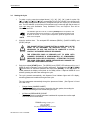
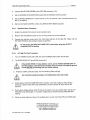
1.
Prepare a roll of 2¼" printer paper. (See Part IV, Maintenance Manual, for the spare
parts lists).
2.
Grasp the black edges of the printer front bezel and pull the printer forward from the
operating position.
3.
Lift the paper holder shaft and remove the expended paper core.
4.
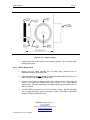
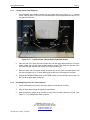
Insert a new roll of paper on the paper holder shaft and guide the edge of the paper
into the printer mechanism paper input. Exposed circuit components do not contain
perceptible voltages, but care should be taken to avoid damaging delicate electronic
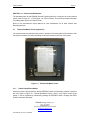
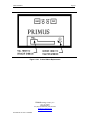
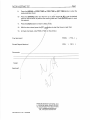
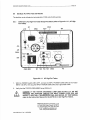
components. The paper path illustrated in Figure 5.3.3-1, shows the paper coming off
the top of the roll, rather than from the bottom. Feed the paper forward, while
pressing the FEED button, until paper feeds correctly through the front of the printer.
PRIMUS Sterilizer Company, LLC
th
117 S. 25 Street
Omaha NE 68131
Tel: (402) 344-4200 FAX: (402)-344-4242
[email protected]
www.primus-sterilizer.com
GP PSS5 Part III-7923 1.07/063008