1
OLIMEX© 2015
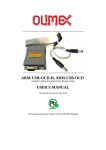
ARM-USB-OCD user's manual
1.4 Comparison of Olimex OpenOCD debuggers
The main difference between ARM-USB-OCD and ARM-USB-OCD-H is the revision of the FTDI
chip inside – it is almost always recommended to get the -H version since it it much faster (the same
applies for ARM-USB-TINY and ARM-USB-TINY-H).
TINY and OCD debuggers are comparable in speed but the OCD design works with lower-voltage
targets, can provide power to the target via a barrel jack and has a virtual serial port included –
suitable for personal computers that lack a native COM port.
Table 1. Olimex OpenOCD debuggers, comparison of features
ARM-USB-TINY
ARM-USB-TINY-H
ARM-USB-OCD
ARM-USB-OCD-H
FTDI chip
FT2232C
FT2232H
FT2232C
FT2232H
Relative debugging
speed
SLOWER
FASTER
SLOWER
FASTER
Additional power
option(*)
NO
NO
YES, 5V-9V-12V
YES, 5V
Additional VCP(**)
NO
NO
YES
YES
Target voltage
range
2.00V – 5.00V
2.00V – 5.00V
2.00V – 5.00V
1.65V – 5.0V
(*)The OCD debuggers have a DC barrel jack suitable for powering the target autonomously from the JTAG
connector. An extension cable that fits the barrel jack is included in the package. The ARM-USB-OCD can
provide 5V or 9V or 12V (controlled via jumper), while ARM-USB-OCD-H can only provide 5V. This feature
is useful when you want to power the target board without establishing the JTAG connection.
(**) Additional virtual COM port – the debugger might be used as convertor of a serial communication to
USB one. A good addition for newer computer systems that lack built-in COM port.
In case you are still wondering which one you should get: ARM-USB-TINY-H is perfectly fine for
home use, research and development. ARM-USB-OCD-H is the better choice for professional use
and for chain programming of target devices.
Another difference between the devices is the product identification number which is different for
each different set of debuggers. All four types of OpenOCD debuggers have the same vendor ID.
However, each of the debugger series listed above has own product ID. These IDs might be seen in
the table below:
Table 2. Olimex OpenOCD debuggers, FTDI vendor and product IDs
ARM-USB-TINY
ARM-USB-TINY-H
ARM-USB-OCD
ARM-USB-OCD-H
VID (VENDOR ID)
0×15BA
0×15BA
0×15BA
0×15BA
PID (PRODUCT ID)
0×0004
0×002a
0×0003
0×002b
You might need the IDs in several cases but mainly when you want to wipe the drivers with a third
party program.
Page 7 of 33