1
SECTION 1
INTRODUCTION
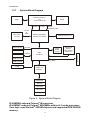
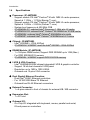
This Installation Guide is applied for IP-4MTS6B, 4GMS6H and
4GMS6F Series. Please reference to section 1.3.6 for detail specification
comparison.
1.1
Unpacking IP-4MTS6B / 4GMS6H / 4GMS6F Series
1. Take out the IP-4MTS6B / 4GMS6H / 4GMS6F Series unit from the carton
box, check if the unit is properly secure in the plastic bag.
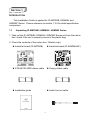
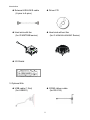
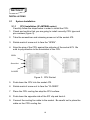
2. Check the contents of the carton box: (Sketch map)
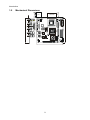
¡ Industrial board (IP-4MTS6B)
¡ Industrial board (IP-4GMS6H/6F)
¡ ATA-66/100 HDD ribbon cable
¡ Floppy ribbon cable
¡ Installation guide
¡ Audio line-out cable
1