1
Step 3.
Take the module out of its shipping container. Take it out of
the anti-static bag, being careful not to touch the connectors
on the back of the module.
Step 4.
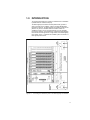
Insert the module in the desired slot in the rack, making sure
it is well-seated in the rack. The module may reside in any
slot in the rack. Use a screwdriver to secure the module in the
rack.
Step 5.
Set the station number of the Data Highway Plus Interface
module (in octal) using the two thumbwheel switches on the
module faceplate. The upper switch is the most significant
digit and the lower switch is the least significant digit. The
station number is read from the thumbwheel switches only at
power-up. Therefore, make sure each device on the network
has a unique station number (0--77 octal) before power is
applied. If more than one device on the network is given the
same station number, the module will not be able to
communicate and an error will be displayed.
Step 6.
Connect the module to the Data Highway Plus network. Refer
to Appendix C for information on cabling and termination.
Step 7.
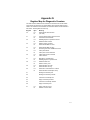
Turn on power to the rack. An internal diagnostic routine is
automatically executed by the module. If an error is detected,
an error code is displayed on the seven-segment LED. If the
green status LED is OFF and no seven-segment error code is
displayed, a local watchdog failure has occurred. If a
diagnostic fault code other than “3”, “4”, “6”, “7”, or “C” is
displayed for more than 5 seconds, the Data Highway Plus
Interface module must be replaced.
If the thumbwheel switches are set to an invalid station
number, fault code “6” will be displayed on the sevensegment LED on the module faceplate after power-up. To
clear the invalid station number fault code, refer to section
5.2.
Step 8.
3-2
After power-up diagnostics are complete, the green status
LED will go on. Verify the installation by monitoring registers
on the module. Refer to Appendix I.