1
3
Setup Wizard Changes:
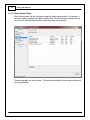
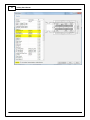
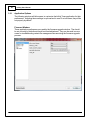
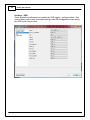
New left pane organization with expandable groupings. See Wizard Organization 9
for more detail.
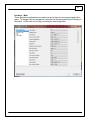
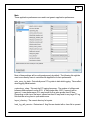
New Basic sensors section. See Basic Sensor Setup 10 for more detail.
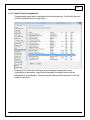
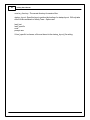
New input function assignment section. See Input Function Assignments 17 for more
detail.
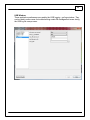
Left pane selection now highlighted when active and gray when not active.
Support added for Honda "T1" timing trigger.
1.2
Change Log - Known Bugs
Known Bug List
1. Connection error dialog is masked by reconnect dialog. This can be observed if the
user selects Connection > Connect to USB when the ECU is already connected AND
subsequently turns switched power off.
2. USB connection status message is not updated properly if the user selects
Connection > Connect to USB when the ECU is powered off AND subsequently turns
switched power on.
3. Infinity Tuner will become unresponsive if user removes USB drive while Auto Save
on connect is in process.
4. If user selects Save As from the right click menu of Logging > USB Logging - Get
Logs, then cancels the action, the system will continue saving the first log in the list.
5. Format USB drive function does not validate if USB device is present or not.
6. Canceling the USB file save function during the file transfer process can result in
inaccurate file save status.
7. USB communication with Infinity Tuner may freeze for a few seconds when USB
logging conditions stop. If the USB drive includes a status LED, it may be blinking
during this time period.
8. Reassigning channels within existing controls or creating new controls during PC
logging may result in unexpected system behavior.
9. System Battery Volts channel can be misleading in the event of a gross wiring
problem. If the ECU is not wired correctly or if the main relay is not sending power to
the ECUs 12V input pins, the failsafe value could be displayed and indicating 13.850
volts when the actual voltage to the ECU is 0 volts.
AEM Performance Electronics