1
5
SETTING UP A LOCAL ACCOUNT FOR DEVELOPMENT
9
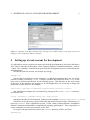
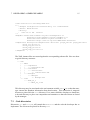
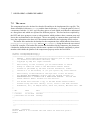
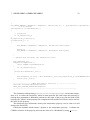
Figure 1: Snapshot of the ACS command center. The log shows a failure trying to start up the services and
manager on a host without any Internet connection.
5 Setting up a local account for development
It is advisable to create a separate account to work on the development of local code which uses
ACS. This is described in document “Alma Common Software. Installation Manual”, sections
7 and 8. The “almamgr” should be kept apart from the development area to avoid cluttering the
installation area.
We should create an account, for example by issuing:
adduser acs
The user has to be added to group “almamgr”, so that the development user may use all the
software residing in directory /alma. It may be possible that some files from /alma do not
have read or execution permission for the almamgr group. That depends on the used umask
in the host. If the umask is not properly set it may happen that it is necessary to change the
permision of some files, like for example:
chmod oug+r /alma/ACS-3.0/TAO/ACE_wrappers/build/linux/ace/config.h
One should then configure the environment by placing in file $HOME/.bashrc an instruction like this one:
source /alma/ACS-3.0/ACSSW/config/.acs/.bash_profile
which provides the ACS environment. In the previous example ACSROOT=/alma/ACS-3.0/ACSSW
Finally we need a directory to place all the code that will be written locally. This directory is
known as INTROOT. This is explained in section 7 of the “Alma Common Software. Installation
Manual” document and should be acomplished by running “getTemplate”. This script allows to
create a template for a directory structure or for code.
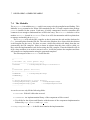
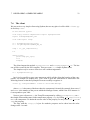
Let us go to the parent directory where the INTROOT directory will be, and issue:
getTemplate